How to test my Google Ads conversion tracking tag?
This test checks whether the module triggers the conversion event and prepares the expected order details. Treat this technical check separately from receipt and attribution in Google Ads.
An event visible in the data layer does not, by itself, guarantee that Google received it or attributed it to an ad.
1. Prepare the test
- Disable ad blockers for the store domain in your test browser.
- Check the tag ID and conversion label: find your identifiers.
- Configure consent using the dedicated FAQ. Start by accepting cookies, then test refusal and partial choices separately.
Use a paid order and a payment method that returns to order confirmation. Stay in the tab connected to Tag Assistant.
A zero-value order is unsuitable for validating the module, whose validity check relies on a non-zero amount.
2. Connect Tag Assistant
Open Tag Assistant and connect your store domain. You can also start troubleshooting from the conversion action in Google Ads. Complete the order in the tab opened for testing and keep the diagnostic window open.
3. Check the conversion
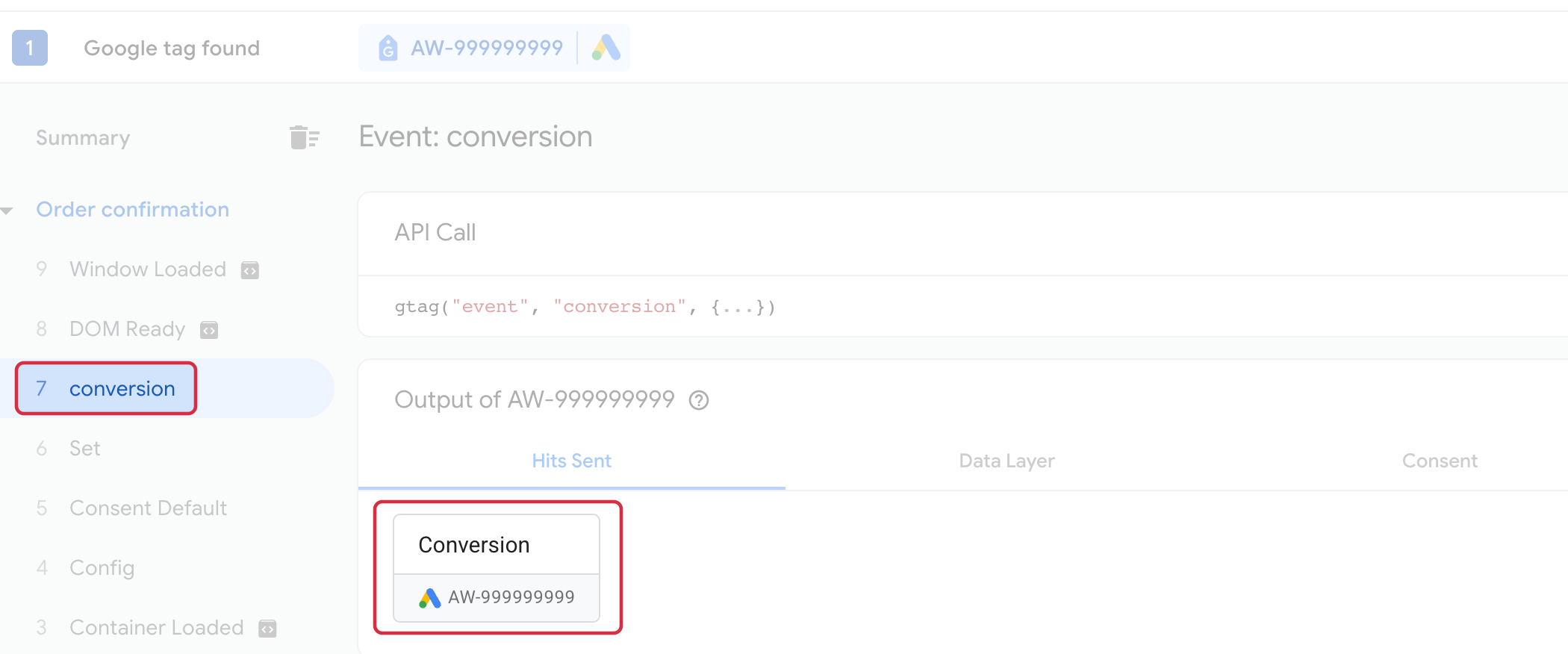
After returning to order confirmation, select that page and its conversion event in Tag Assistant. The module also recognizes submit or the custom controller configured for your payment method. Other tags appearing on earlier pages are not an error.
Inspect hits sent, any errors, the data layer and consent states:
Expand the API Call if needed. In Data Layer, conversion parameters appear under eventModel.
send_to: ID and label separated by/, for exampleAW-999999999/FAQ_DEMO_8099.value: expected amount according to tax, shipping and wrapping settings; for example19.12.currency: order currency, for exampleEUR.transaction_id: order ID, for example6.
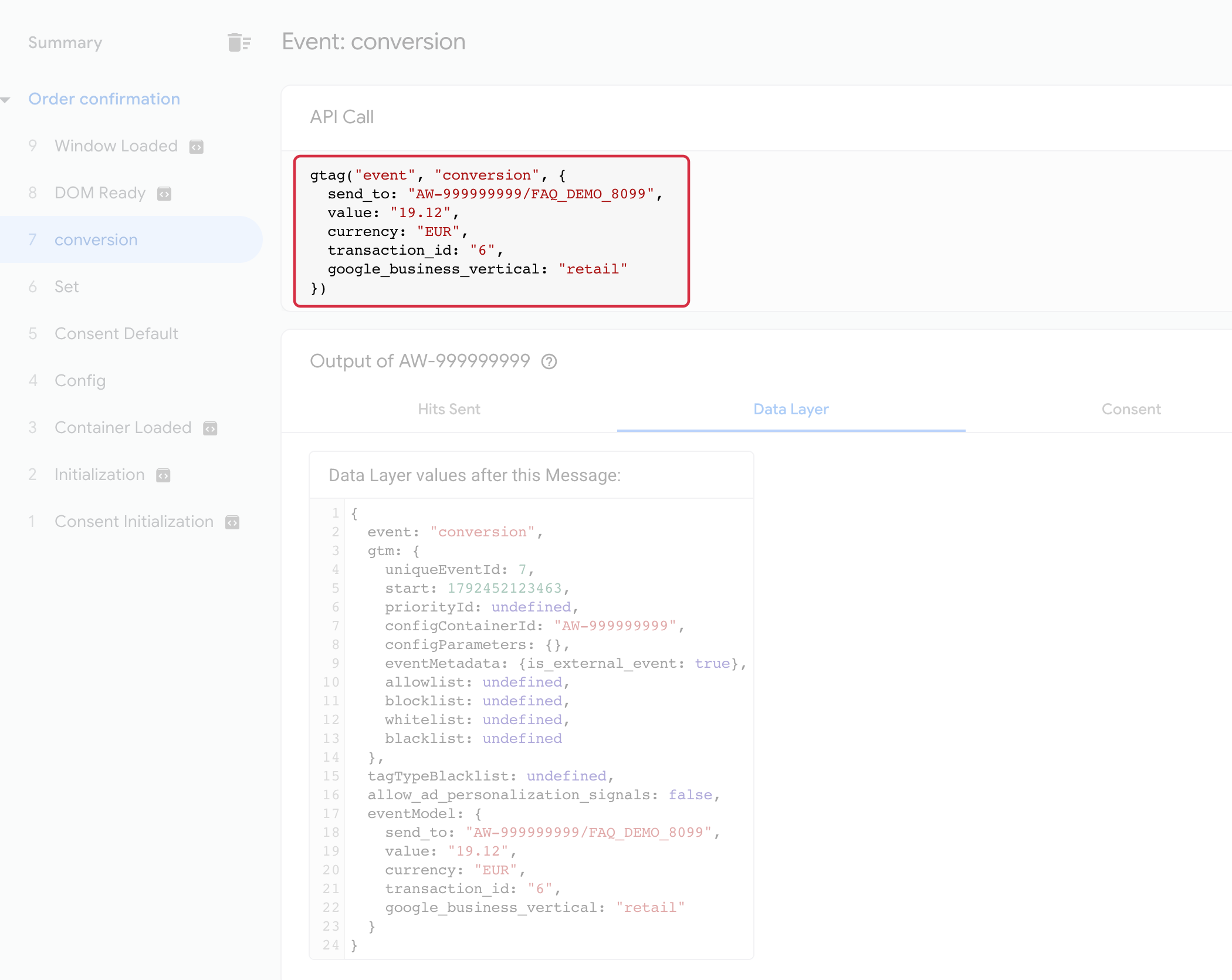
These values are examples. Compare them with your own order. If advanced matching is enabled, also check it using the dedicated FAQ; customer fields appearing locally do not prove that enhanced conversions processed them.
4. Interpret the result
A correctly populated event is an initial check. Also review the diagnostics and conversion action status in Google Ads. Do not expect a test order without an attributable ad interaction to count as an advertising conversion; the module does not decide attribution.
If no event appears, follow the tag troubleshooting FAQ. For differences in totals, see possible causes of discrepancies. Refusing consent can legitimately block tags entirely in basic consent mode; it does not automatically mean the banner is faulty.