Where can I find the zip of the module I just purchased?
First identify the website where you purchased the module, then use the account associated with that purchase. The module name, order confirmation or invoice will help you find the relevant order.
Purchased on the PrestaShop Marketplace (formerly Addons)
The official PrestaShop procedure describes these steps to retrieve the ZIP of a purchased module:
- Sign in to the PrestaShop Marketplace with the account used for the purchase.
- Find the module in the Products section and click Download.
- Check which store you are associating the module with: enter your production store’s URL, rather than your test environment’s URL.
- Select the PrestaShop version that matches your store, then confirm to obtain the compatible ZIP file offered.
PrestaShop also states in its purchase FAQ that an email with a download link is sent after payment. If you cannot find that email, go directly to your Marketplace account.
Purchased on the BusinessTech website
Go to your BusinessTech account and sign in with the account used to purchase on that website. The BusinessTech terms of sale provide for products to become available after payment has been received and validated. Find the order for your module and its download link, when available.
Finding your way around the former BusinessTech customer area
The screenshots below are historical examples of the BusinessTech customer area. Labels and the location of controls may differ from your current interface.
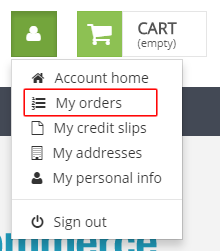
In this former layout, My orders was located in the account menu:
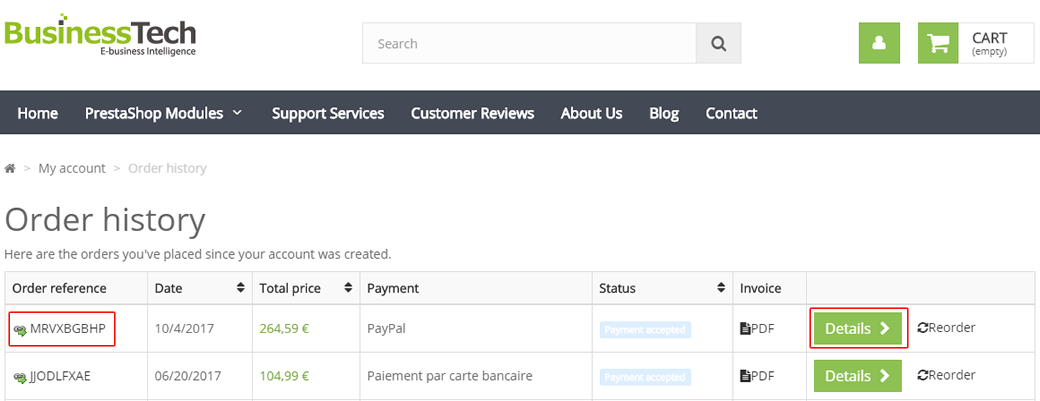
The order history then allowed you to open an order by clicking its reference or Details:
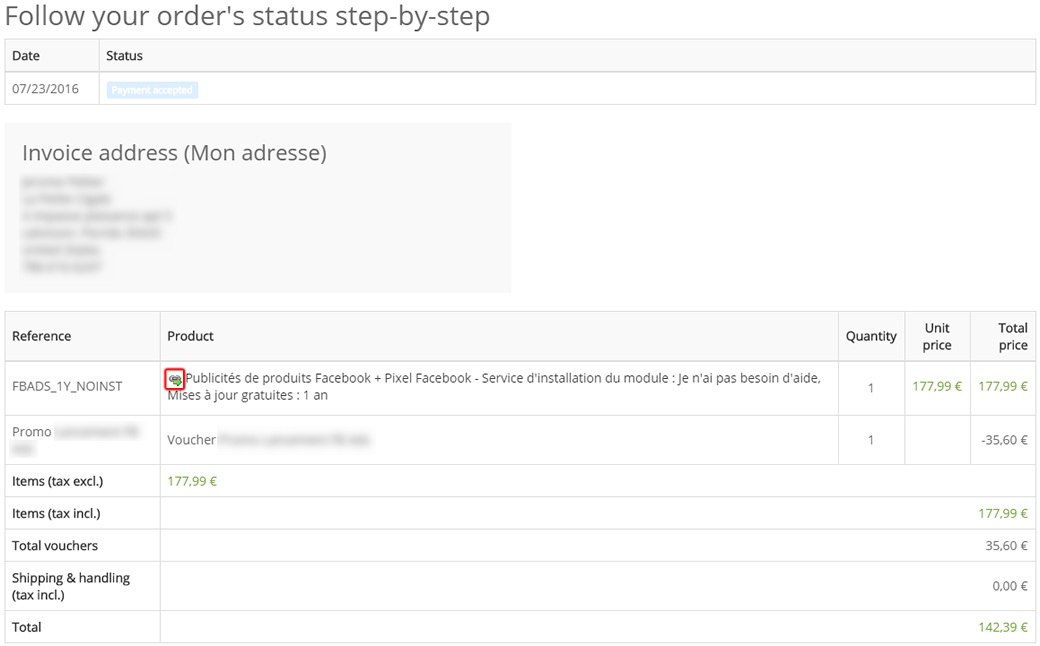
In the order details, the download icon was located immediately before the module name in the products table:
The download is missing or unavailable
- Check the account and order. Use the account that made the purchase on the correct website, and check that payment has been validated. If a service provider placed the order for you, ask them to locate that purchase.
- Check compatibility. Do not pick a different PrestaShop version at random. If your version is not offered on the Marketplace, do not download the product; see PrestaShop’s guidance on contacting its customer service. This help page also explains that some older module versions may be removed from download.
- Check the rights associated with your purchase. For BusinessTech, link availability depends on the download period and any extensions included in your order. If the link is missing or does not work, use the BusinessTech contact form, stating the order reference, module and your PrestaShop version.
Once you have the ZIP, see how to install the module or, if it is already installed, how to update it.