How does the diagnostic tool work?
The diagnostic analyses data processed by the module. It helps identify missing information and exclusions; it does not certify acceptance by Meta and does not replace the platform's diagnostics.
Run and read the diagnostic
After configuration, open My feeds → XML + CRON → Your XML files, regenerate the feed and open the diagnostic details. Compare the processed product count with the XML actually produced.
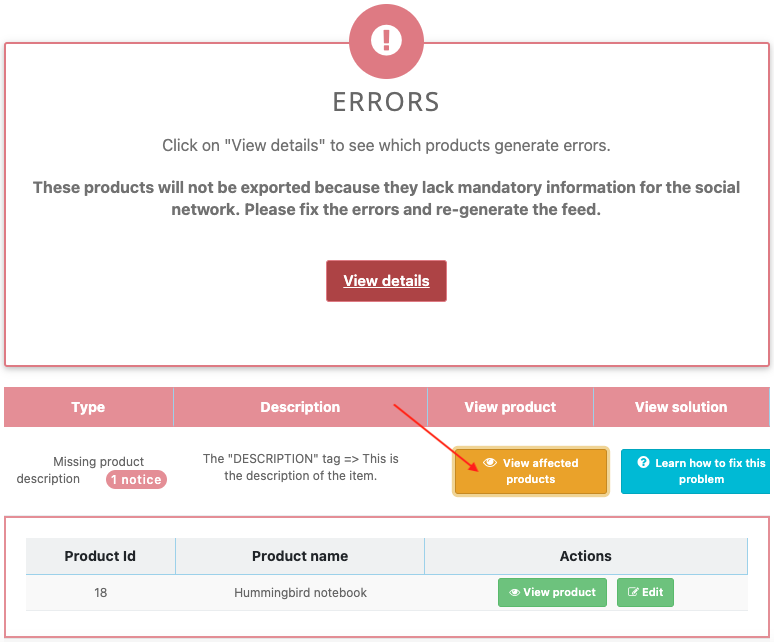
- Errors: data blocking the module's export. Affected items may be omitted; open the details, product list and suggested solution. For example, a missing description.
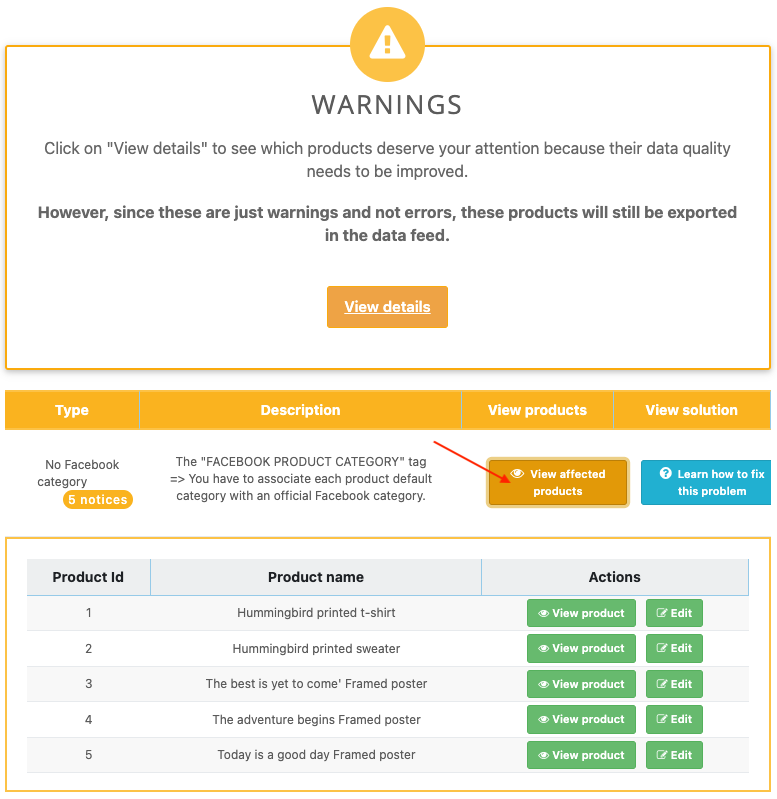
- Warnings: data to complete or check, without exclusion by that module check alone. For example, a missing category mapping. Other Meta rules may still restrict use of the item.
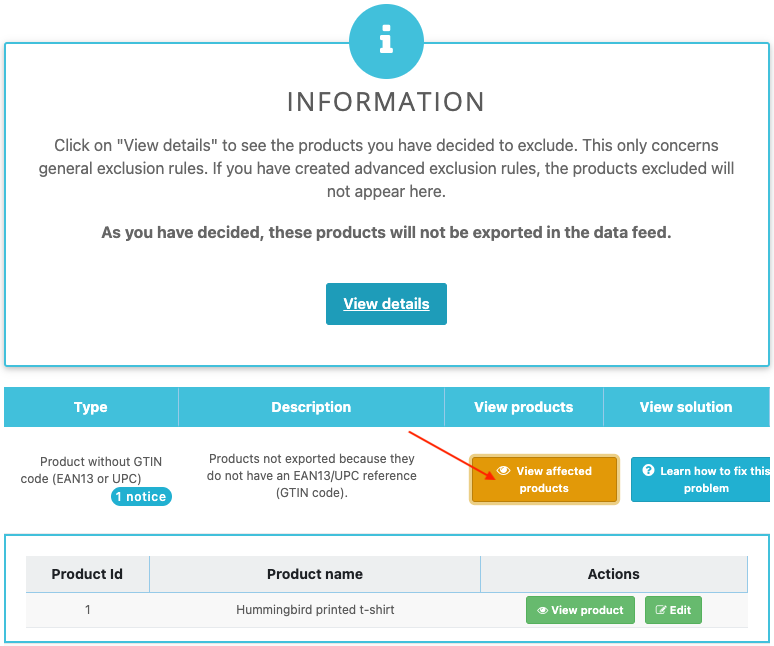
- Information: exclusions applied by your settings. Check that the listed products are the ones you intended to exclude.
In each panel, View affected products identifies products, and view or edit actions open their pages. Learn how to fix this problem provides the relevant help. For an unintended exclusion, review general rules and advanced rules.
Correct the data or setting, regenerate and check again. If the message persists despite consistent data, keep the product ID, feed, time and message for support: a code defect, theme issue or third-party module cannot be ruled out in advance.
The retained earlier illustrations below show examples and navigation landmarks. Names, dates and layouts may differ in your version; follow the checks described in the text.