How to configure the module ?
Module - Social Network Audiences
The module generates customer-data CSV files for manual upload to Google Ads or Meta Ads Manager. Use its filters to prepare separate lists. Creating an audience and making it available to a campaign then depend on the advertising platform.
Prerequisites
Check customer data and your permissions to share it before exporting. The module applies selection criteria but does not guarantee completeness of every field, file acceptance or targeting quality. See why some customers are not exported.
Configure and export
- Under Ad Platform Selection, choose Google Ads or Facebook Ads Manager in “Create the export file for”. Generate a separate file for each destination.
- Under Filters, choose the restrictions you need: active customers, partner offers, default group, email domains, product or category purchases, and account creation date. Product and category fields take comma-separated IDs and are intended to select customers who purchased the relevant products. The date is intended to select accounts created on or after that date. To prepare a VIP list, choose that group only if it is the relevant customers’ default group.
- Select Save and export, wait for processing to finish and retrieve the CSV. Check its rows and columns before uploading it.
- Use See my export files to find saved files, their destination platform, filters and export date, then download or delete them.
Important: the group filter uses the customer’s default group. Check the results of your filters in the CSV, especially domain exclusions, partner offers and selections of several categories. After “Reset filters”, also check the settings and resulting file. If the result differs from the requested restriction, contact support before using the file.
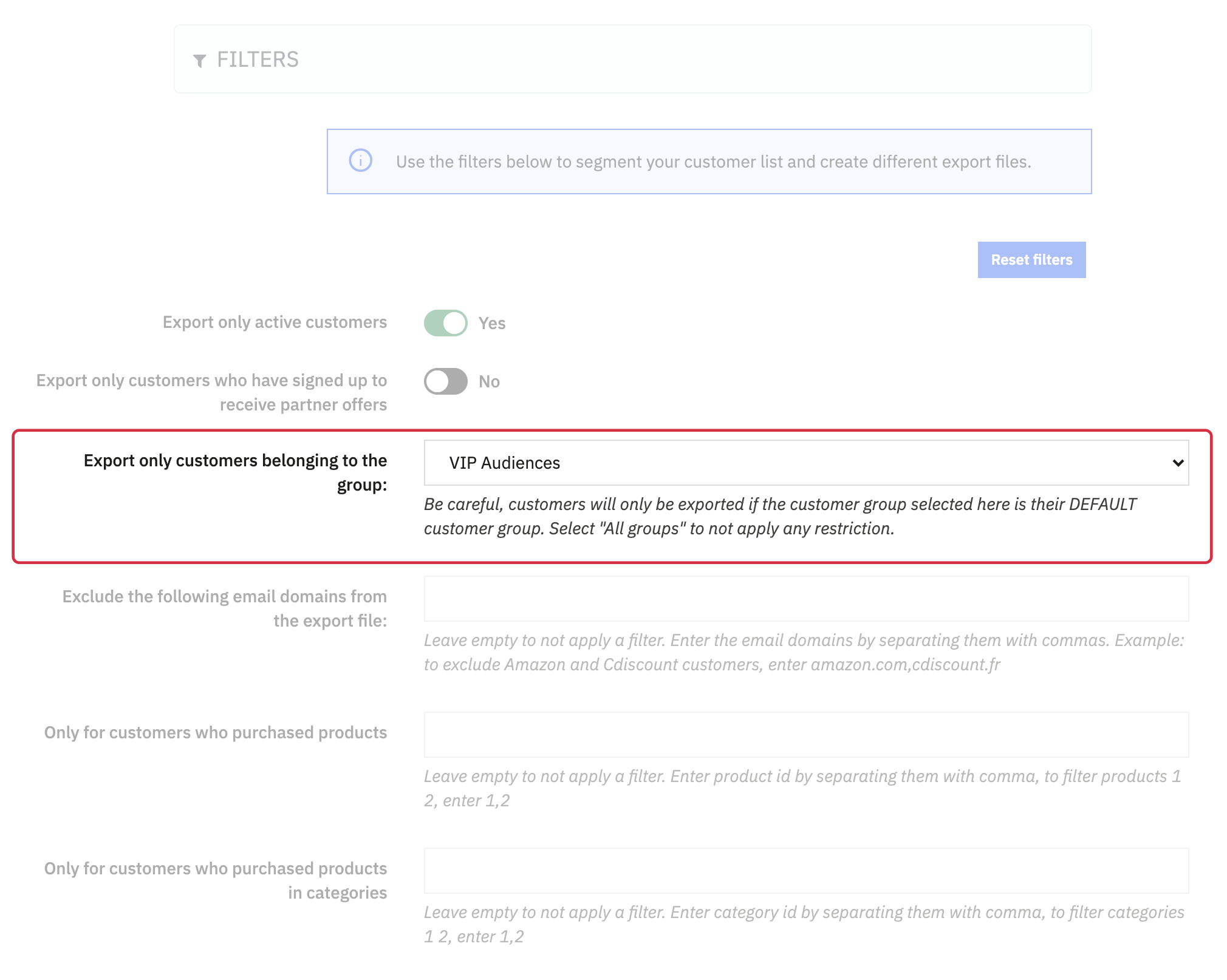
Locating the default group in Filters. Check the other filter limitations in the CSV.
Exported columns
- Google Ads:
Email,Phone,First Name,Last Name,Zip,Country. - Meta:
email,phone,fn,ln,zip,ct,country,dob,gen,age,value.
A column’s presence does not ensure that every value is populated or valid. Check international phone numbers in particular.
Upload and refresh audiences
Follow Uploading to Google Ads and Uploading to Meta Ads Manager. Export and upload your data regularly to refresh audiences: a new module export does not automatically update an audience already created on a platform.
Personal data processing
Important: the module’s CSV is neither encrypted nor hashed. Protect the files stored in your shop and on your computer. Hashing during upload does not guarantee anonymisation; see data processing by Google and Facebook.
As the party responsible for using your customers’ data, clearly explain the sharing, purposes, recipients, customer rights and how to exercise them. Check the necessary permissions before sharing; the partner-offers filter alone does not prove consent for this use.
Make the privacy policies of Google and Meta accessible, along with the Google Customer Match policy. We decline responsibility for non-compliance with applicable regulations.