What is the ChatGPT Ads module and what is it used for?
The ChatGPT Ads module allows you to prepare your PrestaShop product catalogue for use with ChatGPT Ads and measure events on your store using OpenAI's Pixel and Conversions API.
From your PrestaShop back office, you can configure product feeds, define the data to export, track browsing and order events, and automate certain operations using scheduled tasks.
Send your product catalogue to ChatGPT Ads
The module allows you to create product feeds tailored to your target markets. You can define the language, country, currency and products to include in each feed.
You can also configure various settings to choose which information to export, such as product identifiers, titles, descriptions, images and certain product attributes. This allows you to adapt the data sent to your needs, within the limits of the features supported by the module.
Each feed has its own settings and generated file. You can view information about its latest generation and access the available actions to manage it.
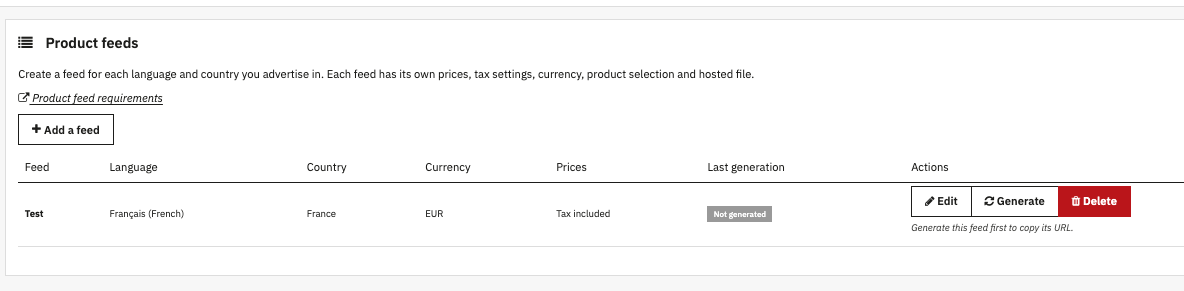
The module also provides general settings that apply to all feeds in your store. These allow you to define the source of product identifiers, the product text and images to export, and certain product data.
Track events with the OpenAI Pixel
The module allows you to integrate the OpenAI tracking Pixel into your PrestaShop store. Once configured and enabled, it can send supported events triggered during different stages of the shopping journey.
The events tracked by the module include:
- page visits;
- product views;
- additions to the cart;
- checkout initiations;
- orders.
These events help measure certain interactions on your store as part of ChatGPT Ads tracking.
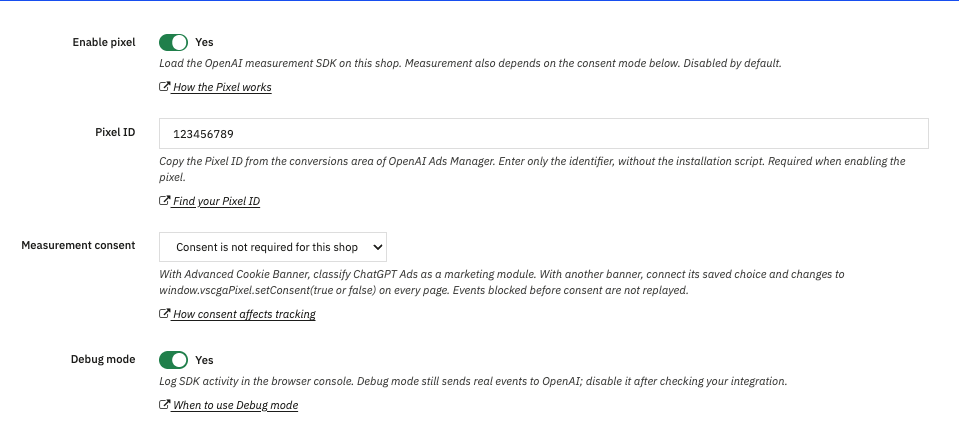
The module also provides a tracking consent setting. Its behaviour depends on the selected configuration and how consent is managed on your store. You should therefore check these settings before enabling tracking.
Send conversions using the Conversions API
In addition to the Pixel, the module provides the Conversions API, which allows events to be sent to OpenAI directly from your store's server.
This method can be used to send new orders for processing, depending on the module's configuration. Events are placed in a queue before being sent. Scheduled tasks can then automate their processing.
The module also provides several settings for managing these transmissions, including the Conversions API activation option, Validation mode, customer matching and the API key.
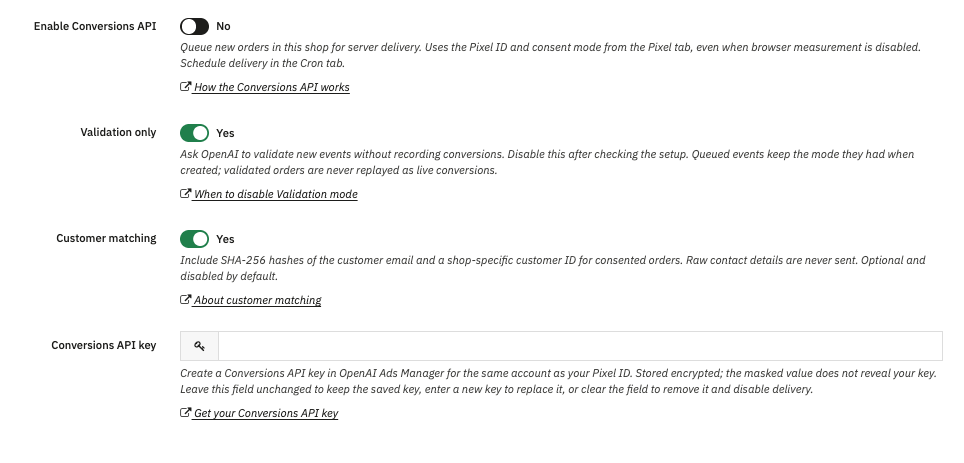
These settings allow you to configure server-side tracking and check the configuration before sending real conversions. Their purpose is explained in more detail in the FAQs dedicated to the Conversions API.
Automate updates and view reports
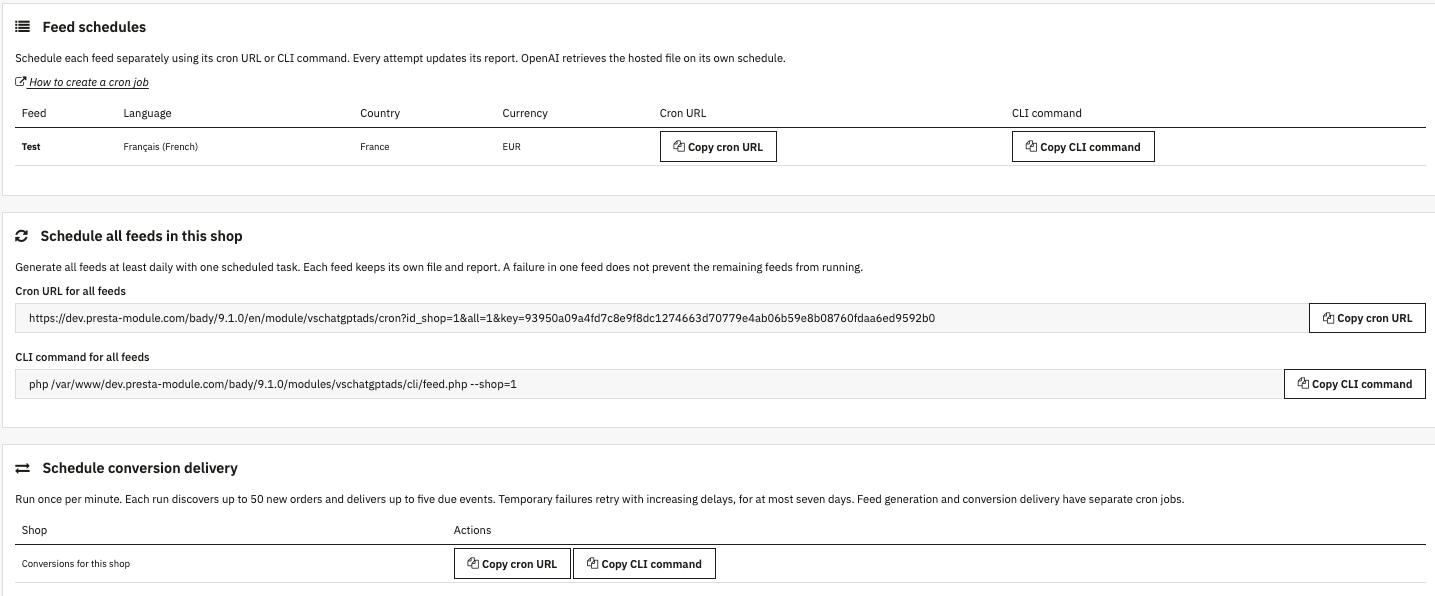
The module includes a "Cron" tab for configuring scheduled tasks. You can find the commands required to generate feeds and send conversions.
Scheduling allows you to automate these operations without having to run them manually every time an update is needed. Each feed retains its own file and generation report.
The "Reports" tab allows you to view information about the latest generation attempt for each feed. You can check the number of warnings and errors, then open a report to review the details and identify potential issues.

Access ChatGPT Ads
The module also provides a link to the ChatGPT Ads dashboard, where you can access your OpenAI advertising environment.
The PrestaShop module is used to prepare product data and configure tracking mechanisms. It does not replace OpenAI's advertising tools: campaign and ad management takes place in the ChatGPT Ads environment and depends on the features available to your account.
To learn more about the features offered by OpenAI, see the official ChatGPT Ads documentation.