Do I have to include product sizes in the feed?
size describes the exported offer's size. Google distinguishes clothing and footwear requirements for free listings from Shopping ads requirements by country. Check the rules for your products and destination.
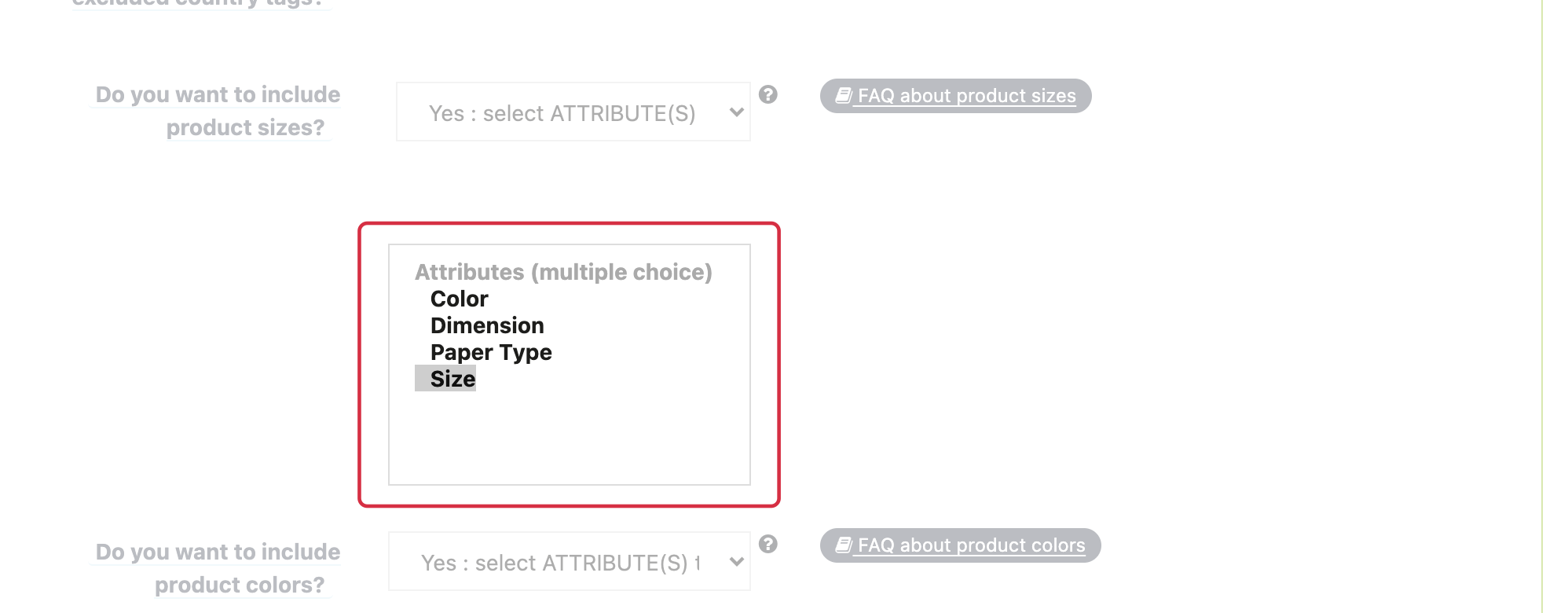
- Under Feed management → Feed data options, choose the size source: attributes, a feature or both.
- Select the groups or feature used in your catalogue, then save.
- For products with variants, check combination-by-combination export and find each item in the XML.
Each offer should contain its own size, such as M, rather than a list of alternatives like S/M/L. A genuine composite size can contain several components according to the product's sizing conventions. Do not confuse size with size type or size system.
See the “too many values” issue. Submitting size does not guarantee better ranking.
For detailed requirements: Official Google documentation.
Other FAQs in this category
- How to indicate the dimensions of my packages?
- Do I need to indicate the size system used for my products?
- Do I have to indicate the gender for which my products are made?
- How to send quality images to Google Shopping?
- How to indicate a package weight unit that complies with Google's requirements?
- Do I need to indicate the size type of my products?
- Is it necessary to indicate an age group for using my products?
- Do I have to provide information about my product patterns?
- Do I have to provide information about my product material?
- Do I have to provide product colors in the feed?
- What are the Google's requirements for product description?
- What are the guidelines for quality product titles?