How to match my products with TikTok categories?
The module lets you match shop categories to the Google taxonomy used by TikTok for google_product_category. This is separate from your own shop category path sent in product_type.
- Open Advanced data feed options > Matching with TikTok categories.
- For each taxonomy code needed by your feeds, use the synchronization icon to load the category list.
- Then open category matching with the pencil icon.
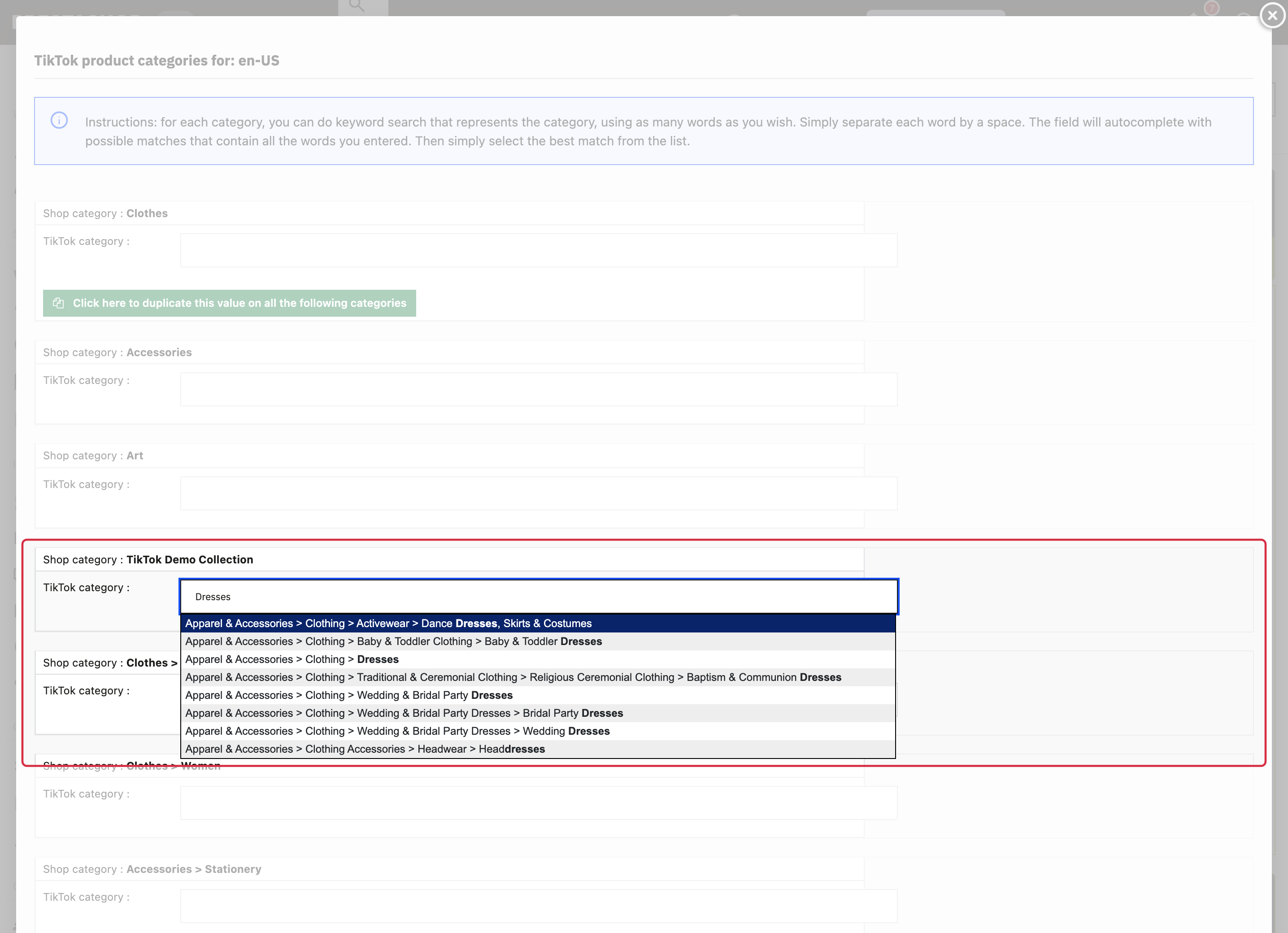
- For each shop category shown, enter at least three characters to start the search, then refine it with one or more keywords and select the most specific relevant official category from the suggestions.
- Save the mapping table and check the result after regenerating the feed.
Several countries may share one taxonomy code. Use the codes and countries listed in the module table instead of repeating the mapping automatically for each country.
Warning: save regularly with the update button at the bottom of the window. Closing the window before saving can lose your pending changes.
TikTok product parameters distinguish Google product category from product type.