How to import my products in a TikTok catalog?
Before importing, prepare your TikTok catalog and check that its market and currency match the feed products.
Choose the correct URL
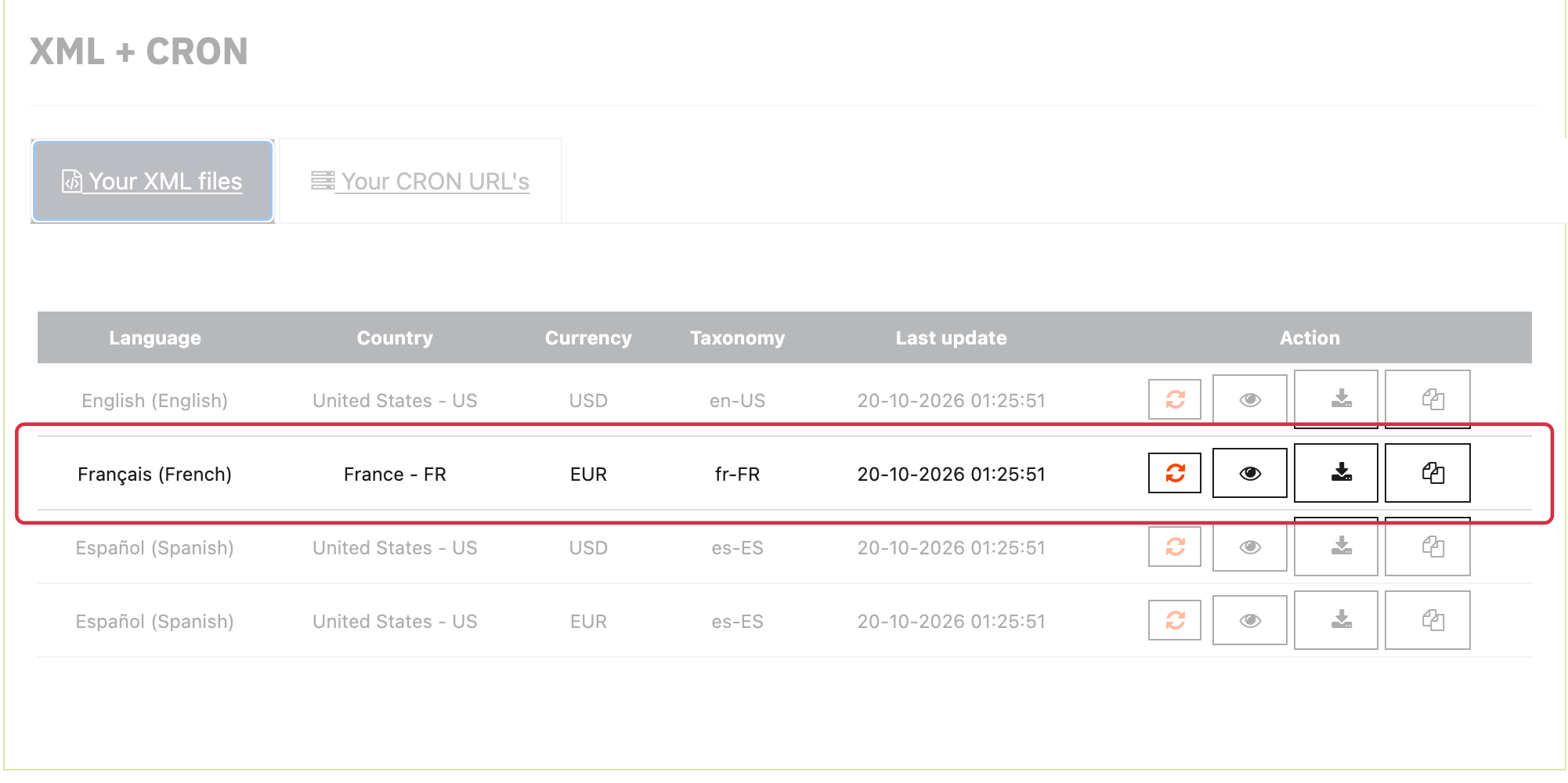
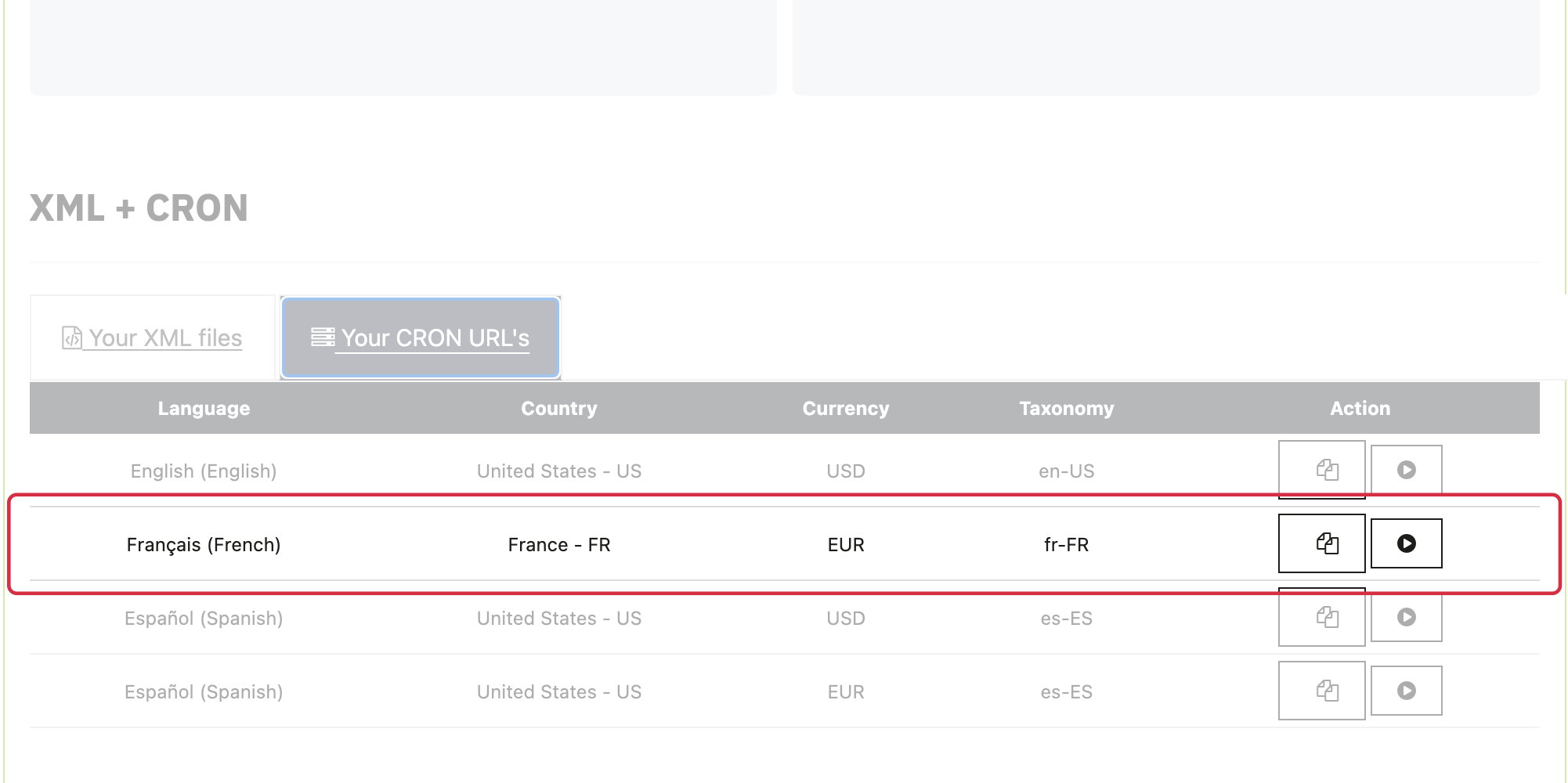
In My feeds, select the relevant Country/Language/Currency group and update method. Copy either the on-the-fly feed URL or the URL of the XML file updated by CRON. Do not use the CRON generation URL as the file URL to import.
The module’s recommendation of about 30,000 products helps choose a method based on server resources. It is not a TikTok catalog limit. Check that generation finishes successfully and the selected URL is accessible.
Schedule retrieval in TikTok
- Open the catalog, choose to add products and select Data Feed Schedule for scheduled URL imports.
- Give the source a clear name, such as FR fr EUR, and paste the selected URL. If it is protected, enter credentials in TikTok’s dedicated fields.
- Choose a retrieval frequency and time based on product updates and server capacity.
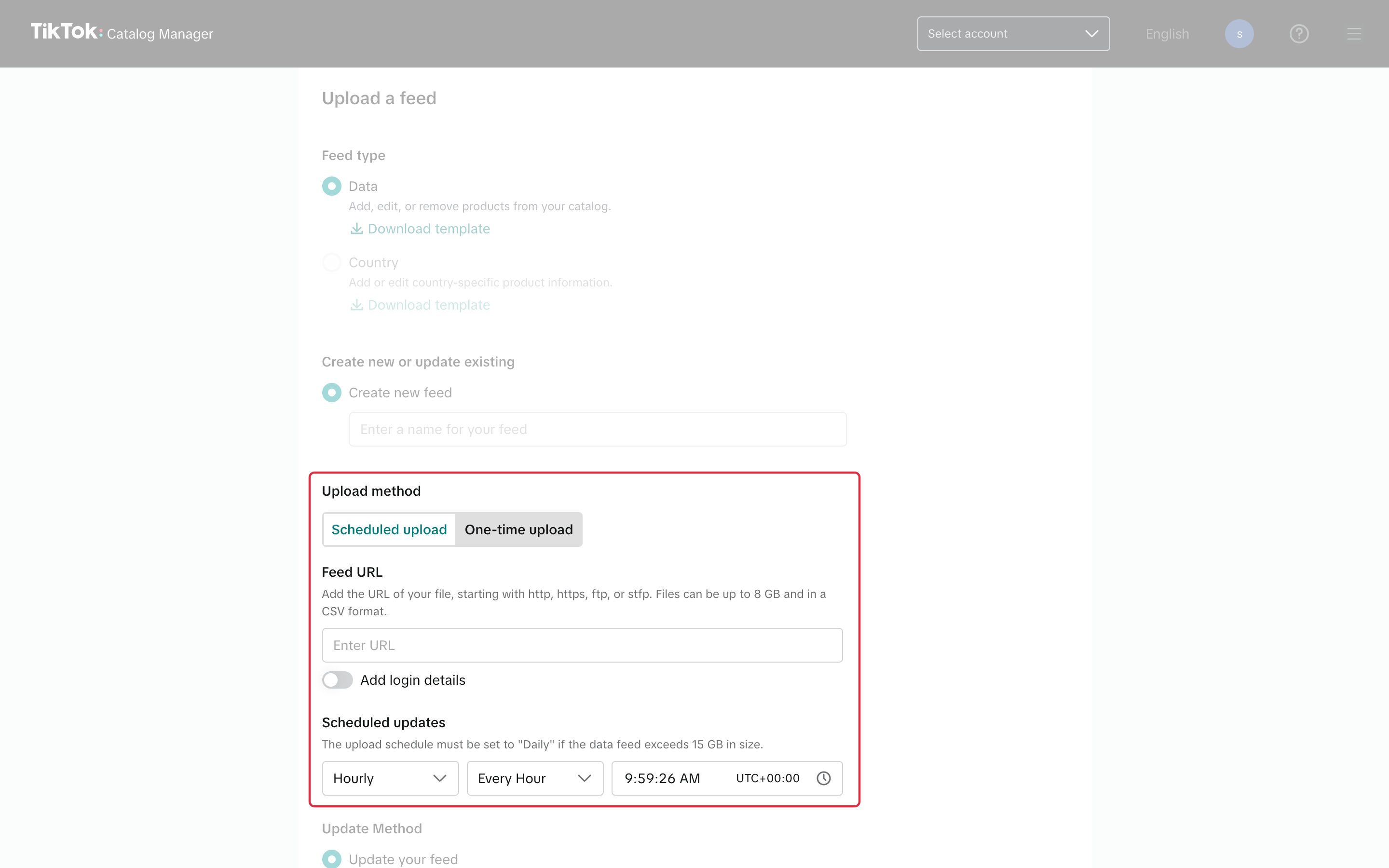
With Scheduled upload selected, paste the feed URL in Feed URL, then set the frequency and time under Scheduled updates. The fields are left empty in this example. - Choose an update method. Replacement can remove products absent from the new feed: use it only if the feed represents the complete set of products this source should manage.
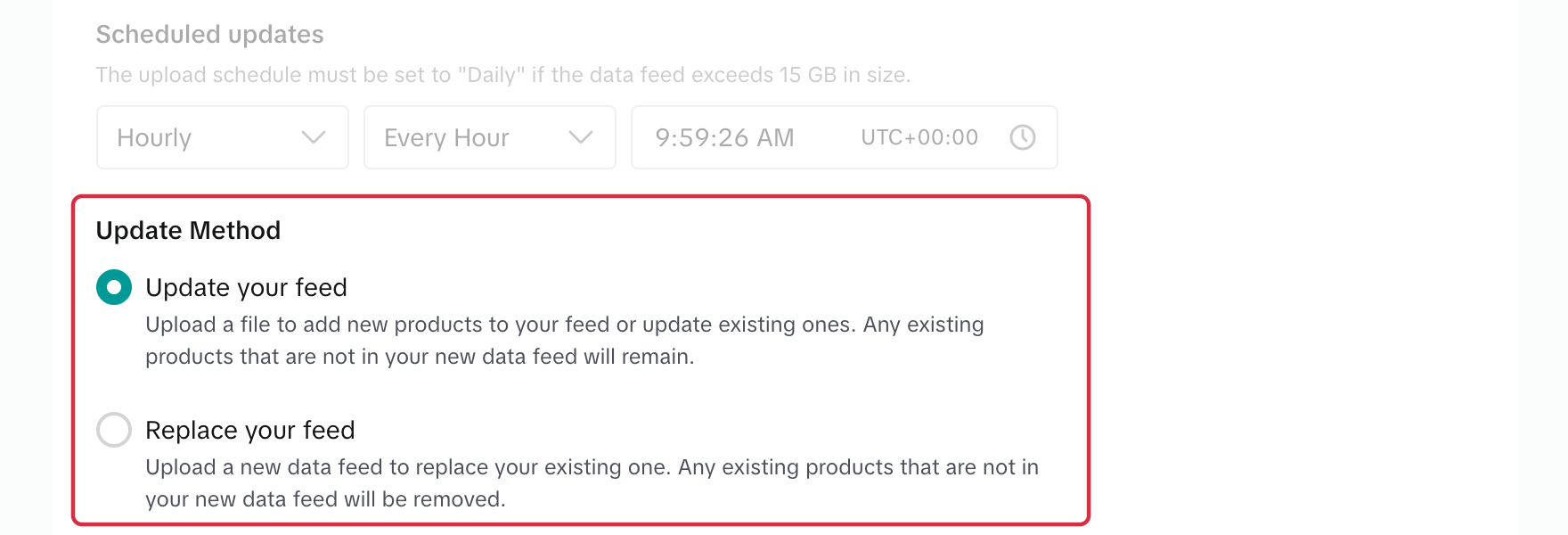
Update Method: Update your feed keeps products that are missing from the new feed, while Replace your feed removes them. Choose replacement only if the feed contains all the products this source should manage. - Start the import and review its result, products and reported errors in the catalog.
Important note: if a CRON task regenerates the file, it must finish before TikTok retrieves it. Leave enough time between the tasks and check that both schedules use the same time zone. For example: generate at 03:00 and retrieve at 06:00, provided that this is enough time for your catalog.
Repeat for other required feeds, checking each destination. To request immediate retrieval, open the product source and its settings, then use the retrieval action available in the current interface.
TikTok’s official catalog documentation describes available import methods.