How to create a TikTok Pixel?
You need a TikTok for Business account and access to the relevant ad account.
- In TikTok Ads Manager, open Tools > Events and choose to connect a data source.
- Select Web, enter your shop URL and choose Manual Setup. Use a Pixel connection, or Pixel and Events API if you want both.
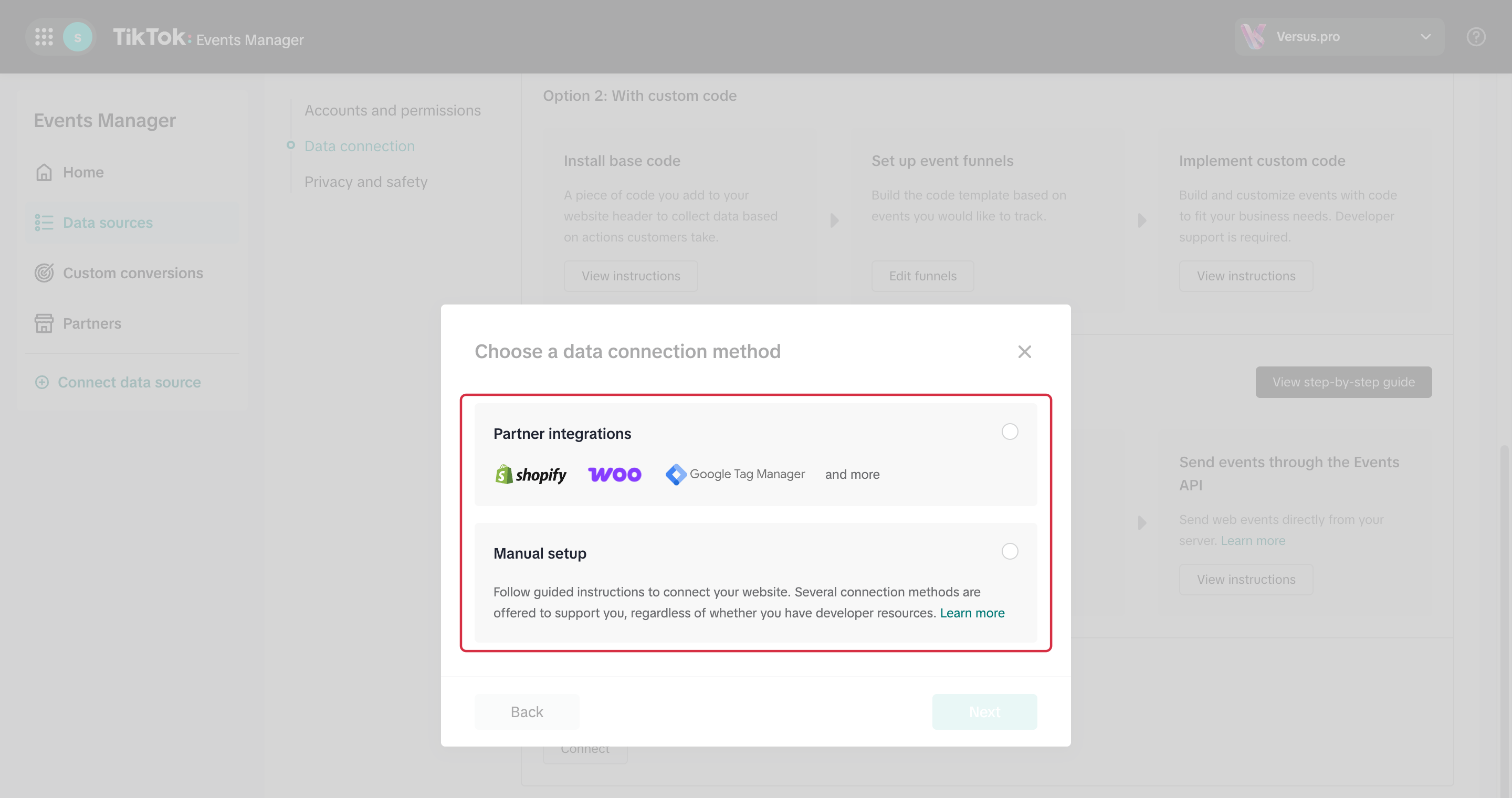
After choosing Web and entering the URL, select Manual setup rather than Partner integrations. 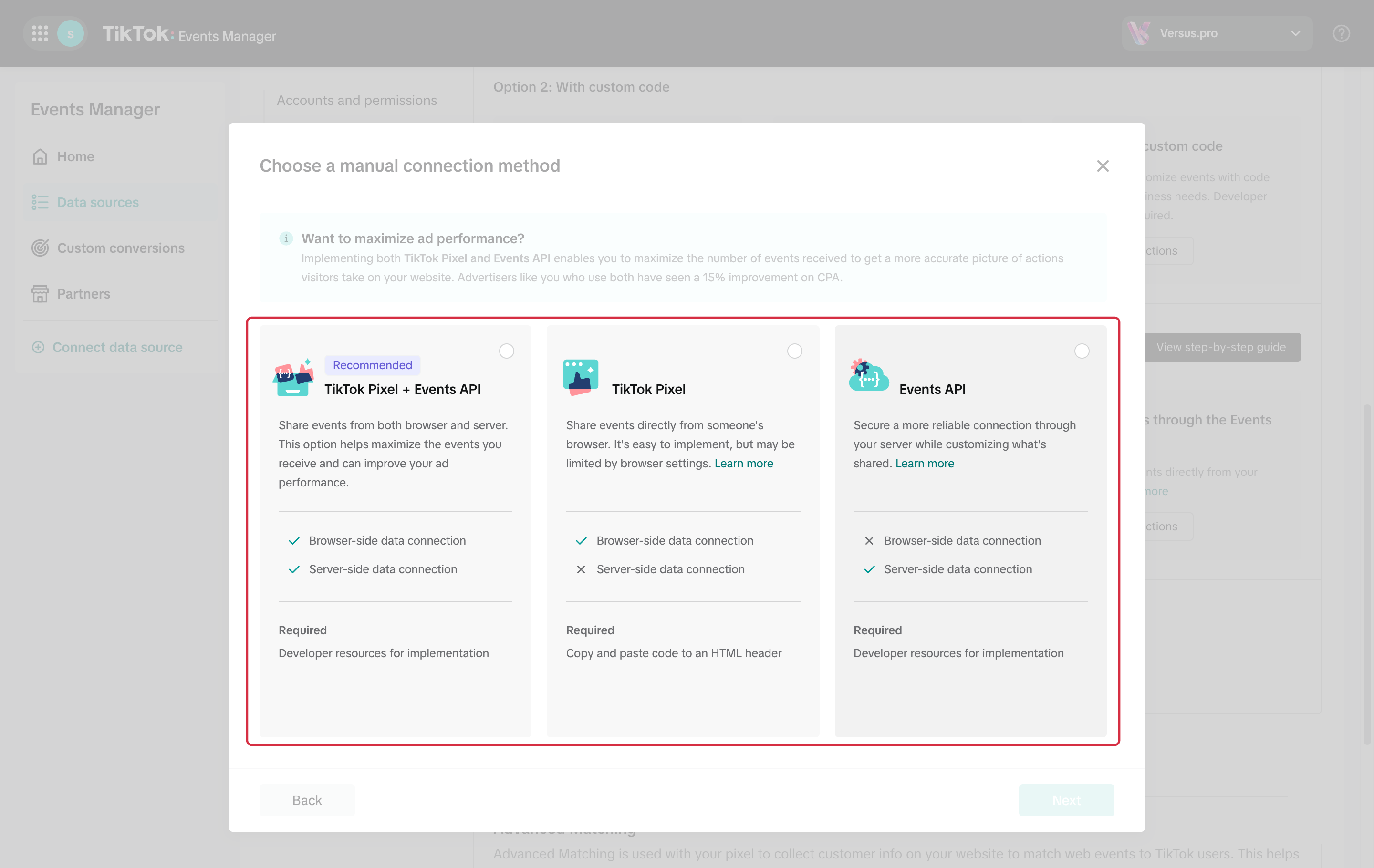
Then choose the manual method: TikTok Pixel, Events API, or TikTok Pixel + Events API, the option marked Recommended by TikTok. - Give the source a name that identifies your shop and retrieve its Pixel ID.
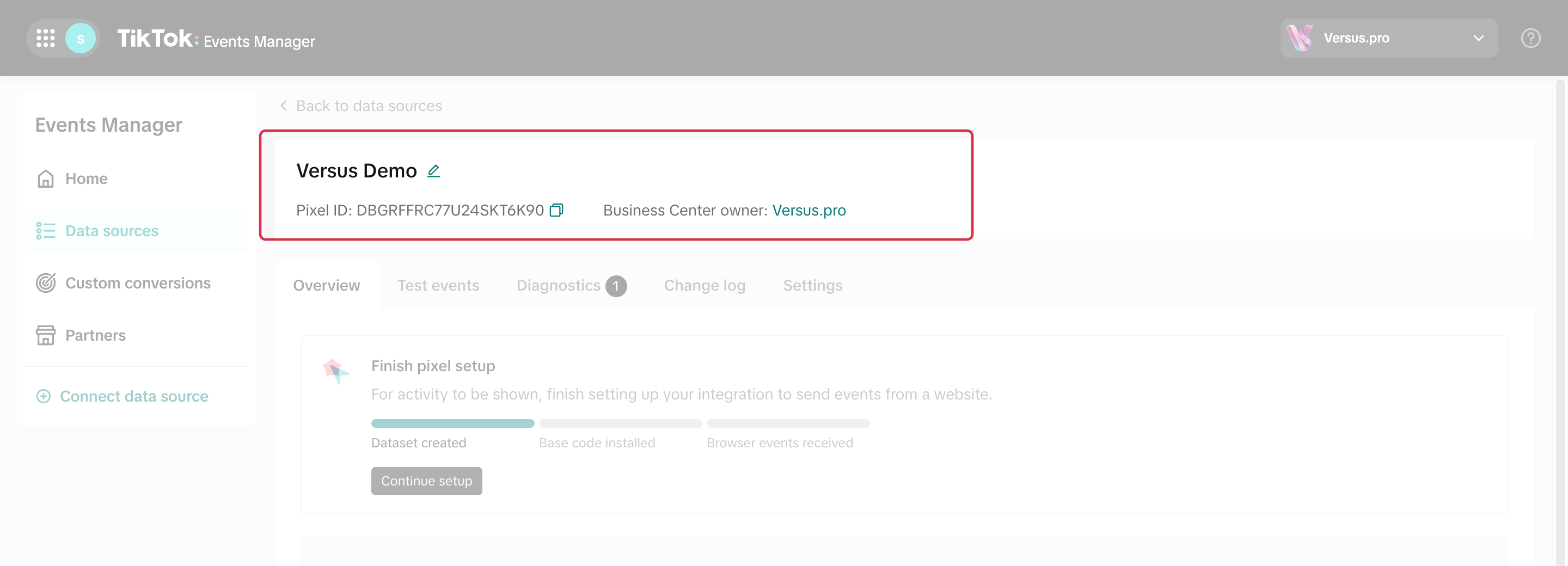
The Pixel ID to copy into the module is shown under the source name. The ID shown here belongs to a demonstration Pixel. - In the module configuration, open TikTok Pixel > Pixel code, enter the ID and save.
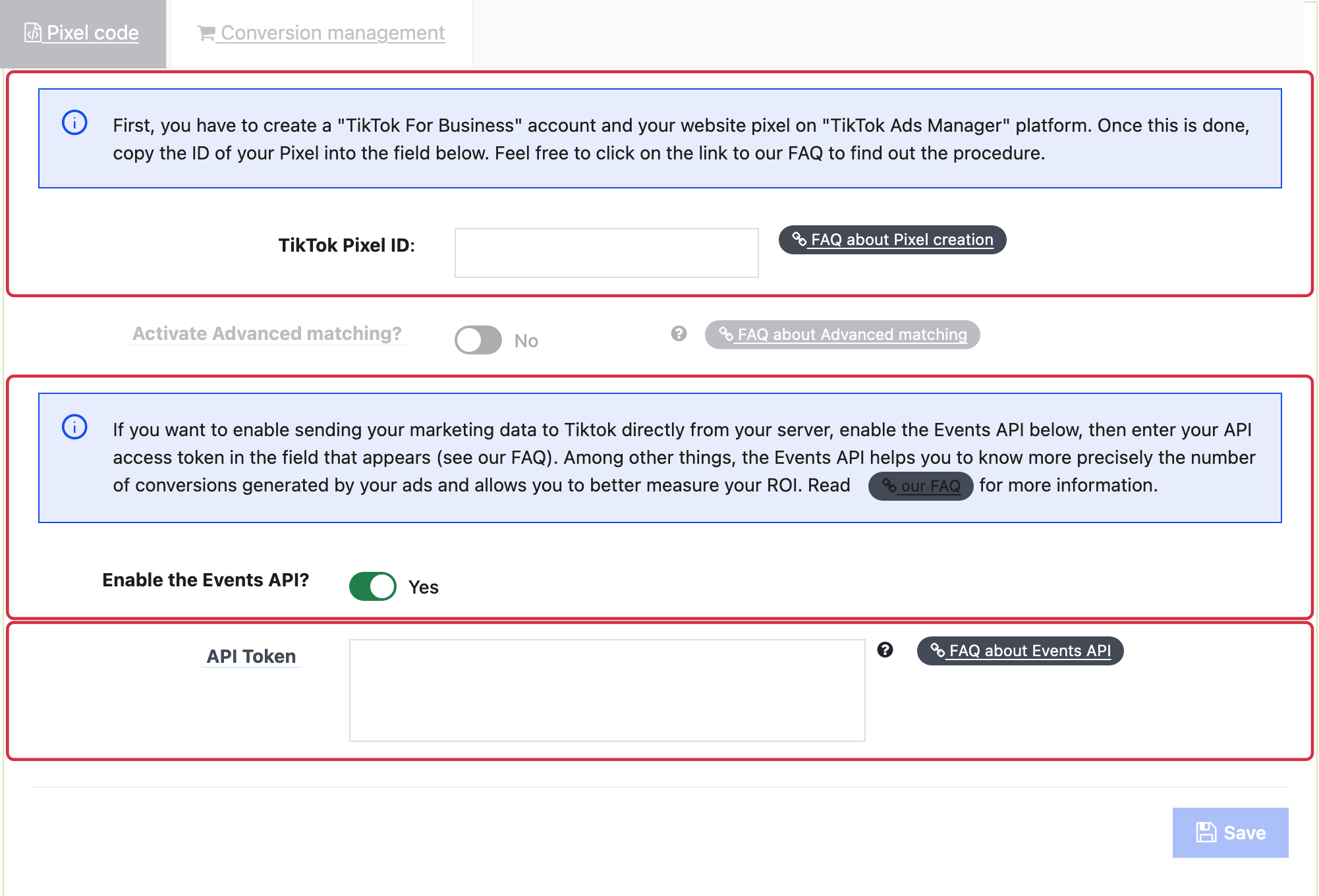
The token field appears after enabling the Events API; no token is shown in this example.
The module installs the script and manages its events. Do not paste a second copy of the Pixel code or recreate the same events in Event Builder without checking for duplicates.
If you use Advanced Matching, review the shared data and the settings in both the module and TikTok. TikTok automatic matching and the identifiers sent by the module are separate mechanisms; do not assume that enabling one option limits all collection to email.
Then follow the verification procedure on your shop and in Events Manager. See the Events API FAQ to configure the API as well. For catalog ads, connect the source to your catalog.
The setup wizard may change. See the official Web data connection setup and verification guide as well.