How to link my Pixel to my TikTok catalogs?
To use website events with catalog products, you need to configure the Pixel, create the catalog and have access to those assets.
- Open the relevant catalog in TikTok Catalog Manager.
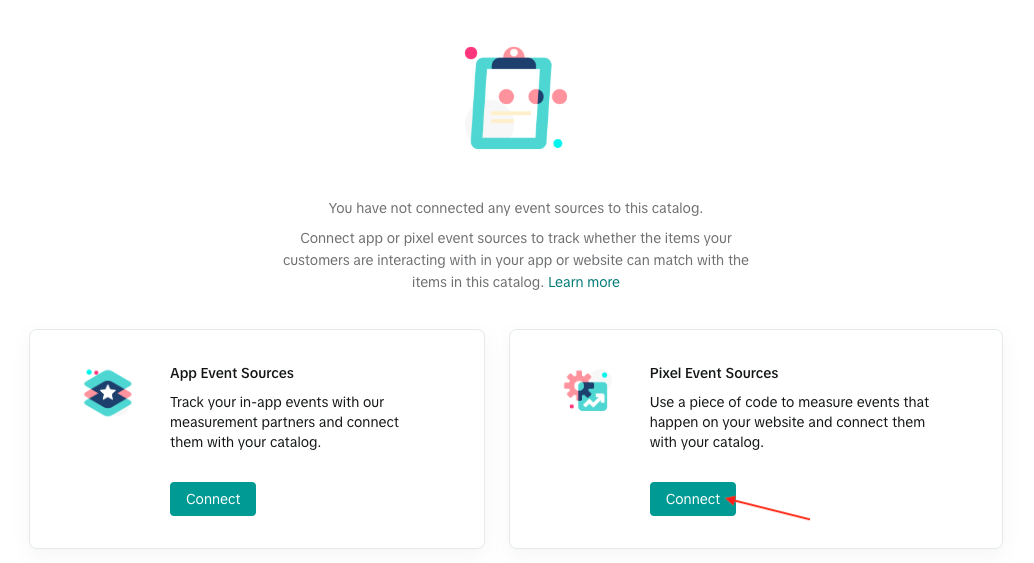
- Go to Event Sources and choose to connect a Pixel source.
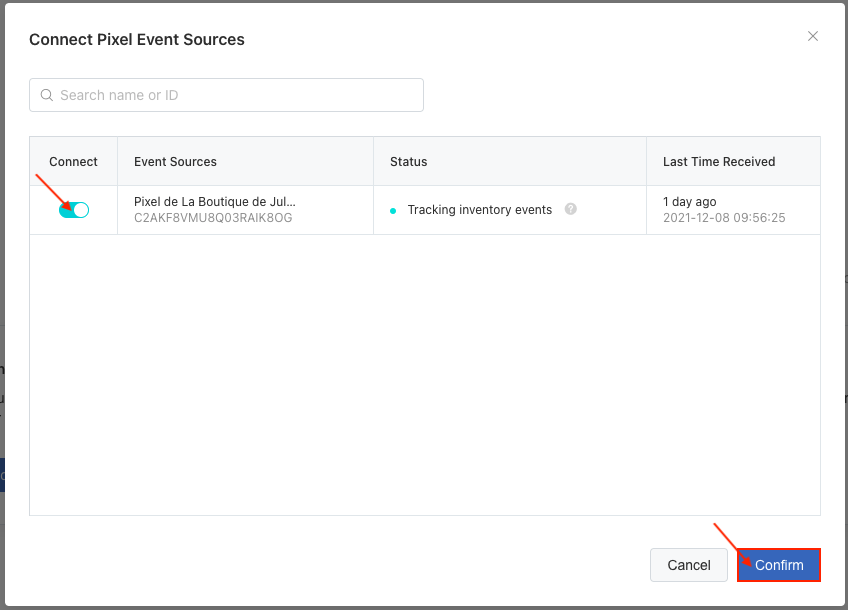
- Select the Pixel whose ID is configured in the module and confirm the connection.
- Repeat for other relevant catalogs if needed.
If TikTok requests a security verification or additional permissions, complete the steps requested in your account.
Check IDs: the event content ID must match the product or combination sku_id in the catalog. Connecting a source alone does not guarantee matching. Review received events and the match rate; this can take several days to stabilize after the first connection.
See our diagnostic FAQ and the official catalog match-rate documentation for checks.
Visual references from the previous interface: labels and layout may vary. Follow the written steps above.