How to use widget mode to customize the position of reviews?
Widget mode lets your integrator choose review positions in the theme templates. Back up the files and test on a staging shop first. A position such as “below the title” or “before accessories” depends on the theme: identify the template actually loaded before editing it.
Review list on a product page
Under Product reviews → Display on product pages, select Use widget mode for Product reviews position, then save. Insert the following at the intended position in the product template:
{widget name='gsnippetsreviews' hook='spr_product_review'}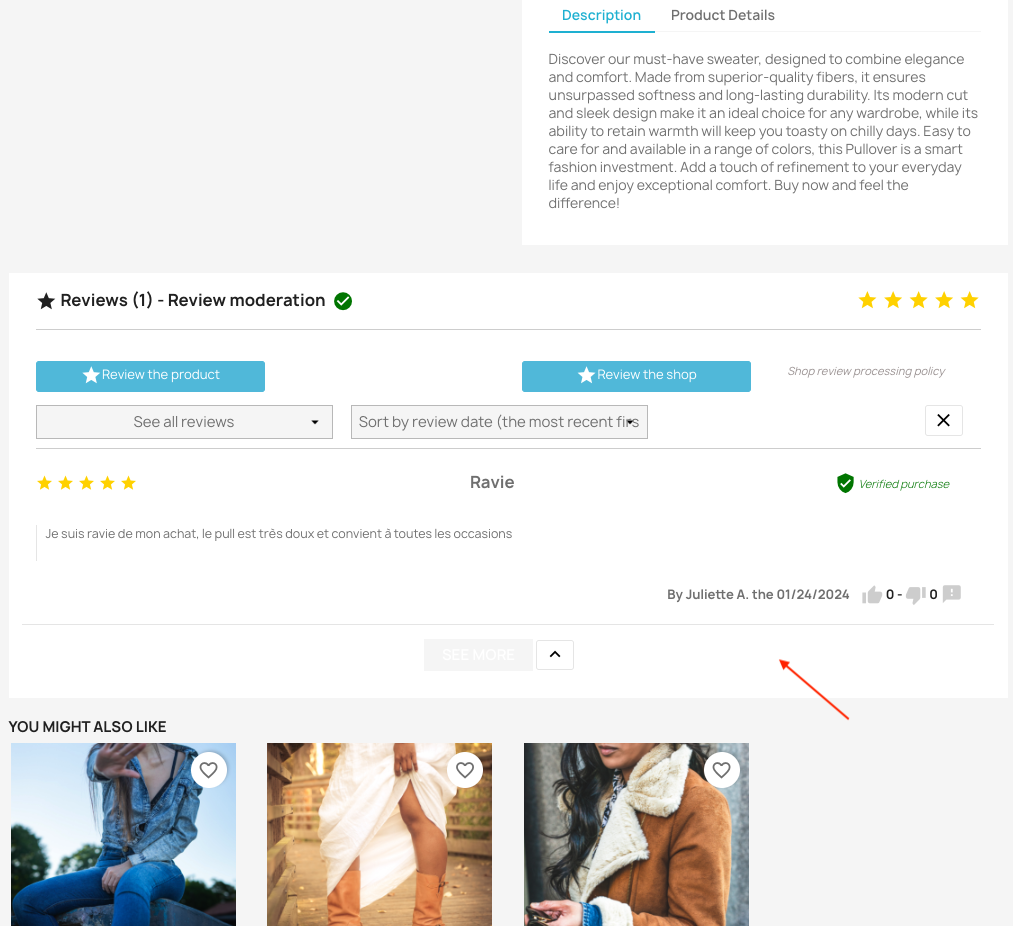
Example placement before accessories in a custom theme. Appearance depends on your theme.
Average product rating block
In the same section, select widget mode for Position of average product rating block, then save. Place this other call in the template:
{widget name='gsnippetsreviews' hook='spr_product_review_average'}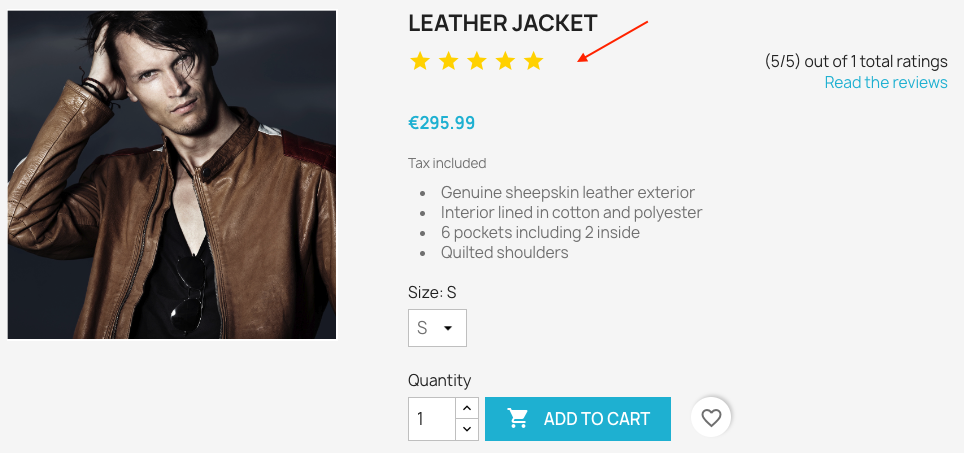
Example average rating below the title in a custom theme. Appearance depends on your theme.
A common path is themes/your_theme/templates/catalog/product.tpl. It does not guarantee a position across all themes. The two calls are independent: use the call for the block you want to move. For standard positions, see the product page display settings.
Latest reviews on the homepage
- Under Product reviews → Latest product reviews, enable latest product reviews on the homepage if you use this review type, then enable its widget mode.
- Under Shop reviews → Latest shop reviews, do the same if you use shop reviews. You do not need to enable a review type you do not use.
- Save, then insert the shared call below once in the template used to build the homepage.
{widget name='gsnippetsreviews' hook='spr_home_last_block'}The same call can render product reviews, shop reviews or both, depending on the enabled types. When both types are displayed, align their placement modes. Mixing one type in widget mode with the other on the native position can display both blocks twice.
After saving, check position, review type, absence of duplicates and mobile display. Check Smarty recompilation and theme caching if a template edit does not appear. Ask your integrator for help when needed.
Other FAQs in this category
- How to test the sending of product (or shop) rating request emails?
- Where can I find my store's rating link on Google My Business?
- How to configure the sending of emails inviting to rate my products or my shop?
- How to create rating criteria?
- How to get an OpenAI API key?
- What is the link to display the page listing all product (or shop) reviews?