How do I link my Instagram business account to my Facebook Page?
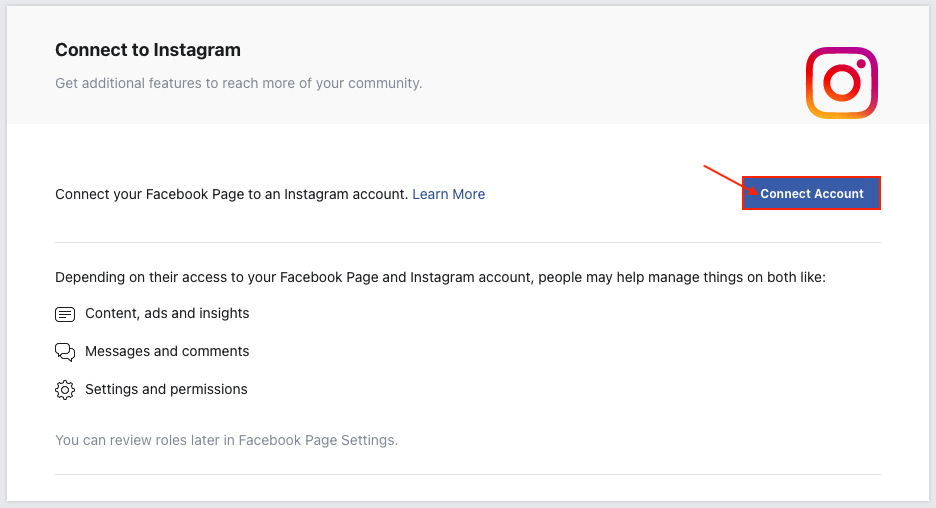
This connection links a Facebook Page to your professional Instagram account. It is separate from adding the account to a business portfolio and connecting it to a Shop.
According to Meta’s official procedure, prepare a professional Instagram account, full control of the Page and, if you use a business portfolio, assets in the same portfolio. Do not remove an account from another portfolio without checking ownership and permissions.
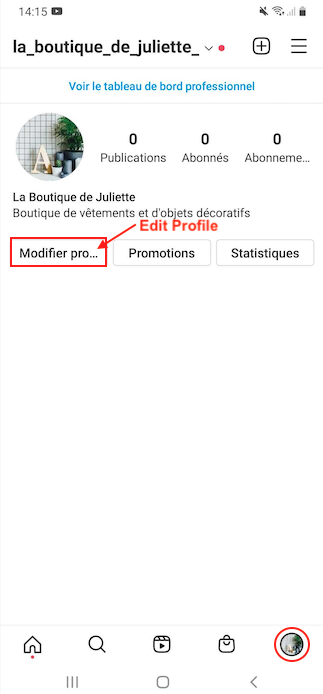
- In Instagram, open your profile and Edit profile.
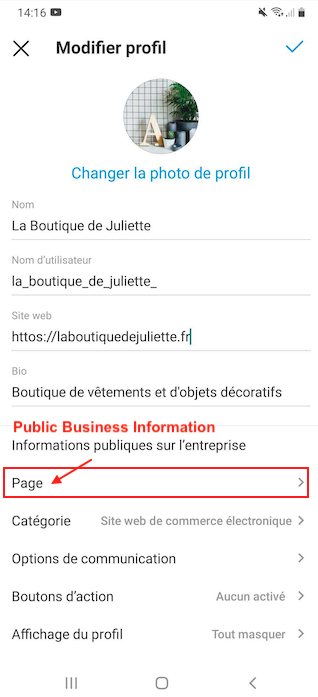
- Under Public business information for a business account, select Page, then the command to connect or create a Page.
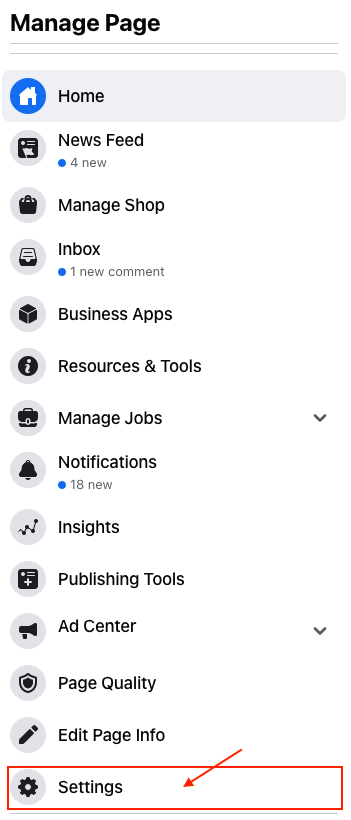
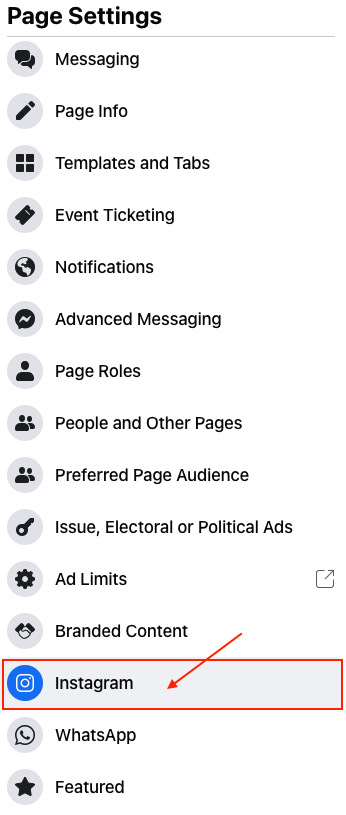
- Continue the Facebook login with the authorized profile, select the correct Page and confirm the connection. If the Page is missing, check permissions and the selected portfolio.
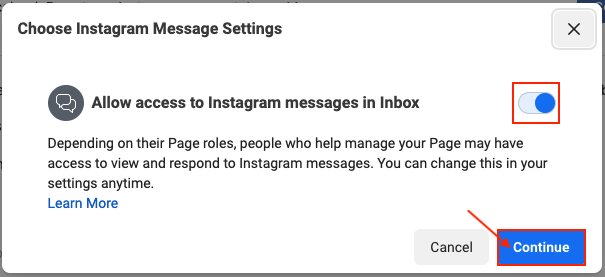
Then check the Page shown on your Instagram profile. Message-access requests relate to messaging features: do not treat them as a universal requirement for enabling Shopping. Follow the official help if menus differ.
Illustrations
The illustrations provide examples. Menus, permissions and available choices can vary by account; follow the procedure and official links above.
Other FAQs in this category
- How can I link my Facebook Shop catalog to my professional Instagram profile?
- How to get an Instagram business account?
- What are the products that are prohibited to sell on Instagram?
- How to activate the Instagram Shopping features?
- How to connect my Instagram business account to my Business Manager account?