How can I link my Facebook Shop catalog to my professional Instagram profile?
Connecting Instagram to a Page, adding it to a business portfolio and selecting it as a Shop sales channel are separate operations. To use your Shop’s catalog on Instagram, prepare a business account, access in the correct portfolio, and check the eligibility requirements and supported countries.
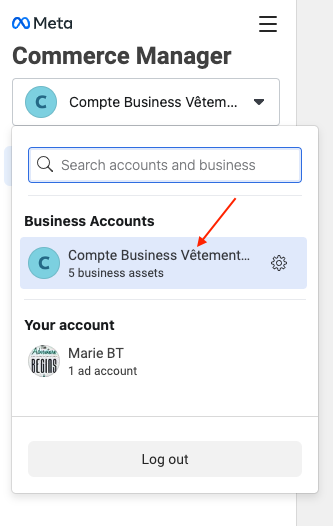
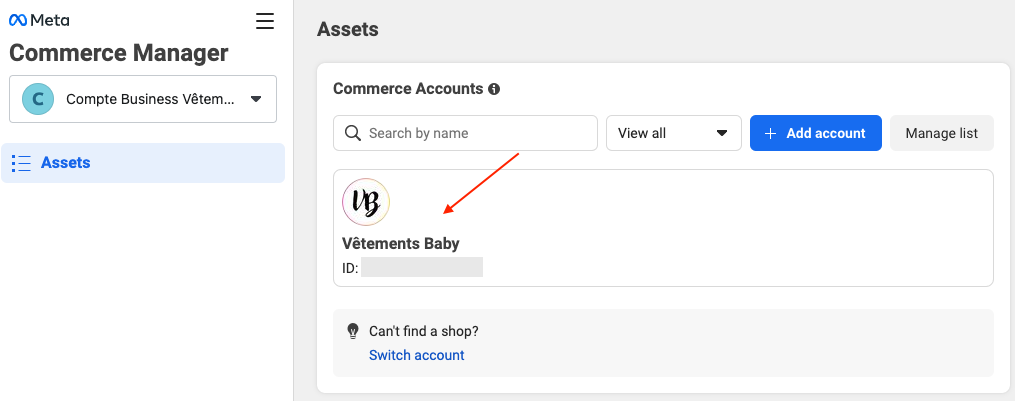
- In Commerce Manager, select your Shop’s commerce account and check its catalog. Meta allows only one catalog linked to each commerce account.
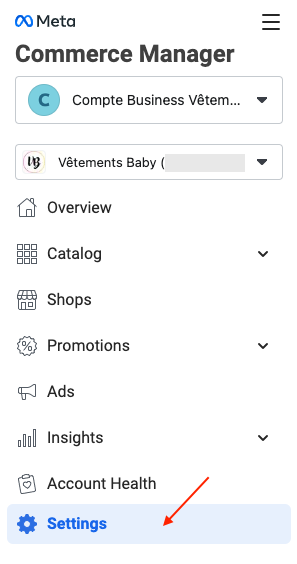
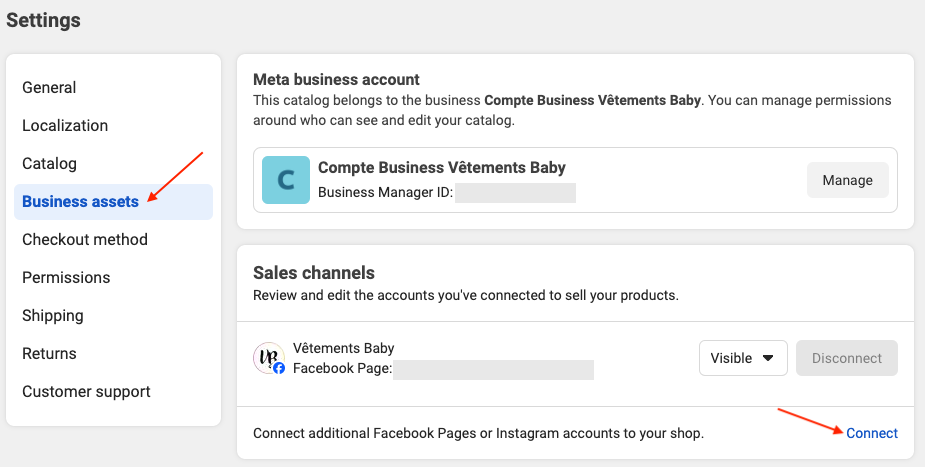
- The commerce account creation procedure includes selecting Pages and Instagram accounts as sales channels. For an existing Shop, check its associated assets in Settings; adding an account to a portfolio does not automatically make it a Shop channel.
- To check visibility for an already connected channel, follow Manage your shop’s visibility: Settings → Business assets → Sales channels. Check the correct Instagram account and its status.
- Address any review or correction requests shown by Meta, then check the result in your Instagram account.
The exact location of a connection command may differ by account. Channel visibility and product approval remain under Meta’s control: connecting an account does not guarantee all Shopping features will be enabled.
Illustrations
The illustrations provide examples. Menus, permissions and available choices can vary by account; follow the procedure and official links above.