How to connect my Instagram business account to my Business Manager account?
To add your professional Instagram account to a business portfolio in Meta Business Suite, you need full control of the portfolio. Meta’s official procedure states that an Instagram account can be added to only one business portfolio.
- On desktop, open Meta Business Suite Settings and check the selected portfolio.
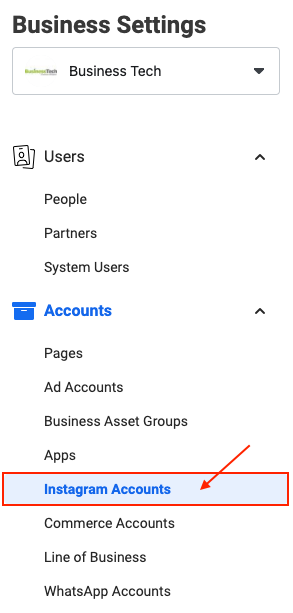
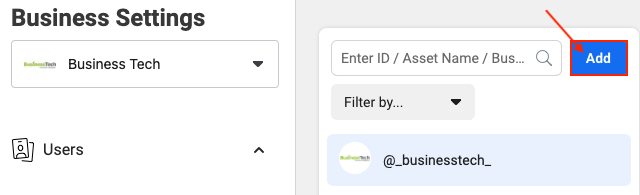
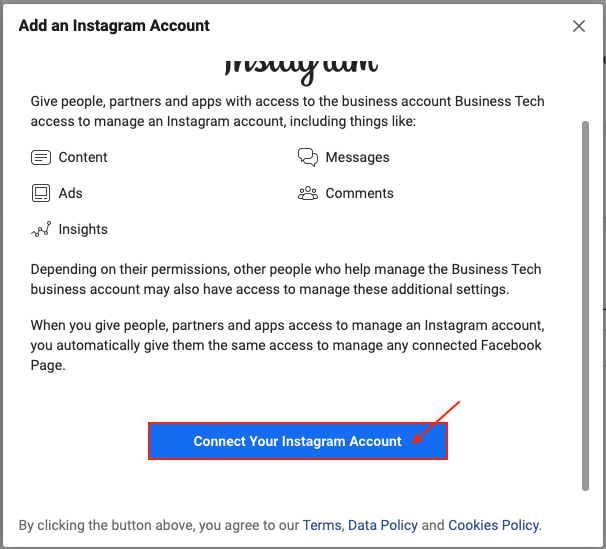
- Go to Accounts → Instagram accounts, choose Add and the command to add an Instagram account.
- Log in to the relevant Instagram account in Meta’s window, complete any security checks and confirm.
- Check the confirmation message and that the correct account appears in the portfolio’s list.
If the account already belongs to another portfolio, do not remove that association to work around the issue. Check with its owner whether access should be granted or a transfer is actually needed. Adding the account to a portfolio does not replace connecting it to a Page or selecting a Shop sales channel.
Illustrations
The illustrations provide examples. Menus, permissions and available choices can vary by account; follow the procedure and official links above.