Where to find the measurement ID of my GA4 property?
The module expects the Web stream measurement ID, an alphanumeric code starting with G-. This is different from the numeric property ID, the stream ID, an old UA-… tracking ID or a property name containing “GA4”.
- Sign in to Google Analytics and select the GA4 property for your store. Google’s documentation requires the Editor role or above at property level to find this ID.
- In Admin > Data collection and modification > Data streams, select Web and open your store’s stream.
- In the stream details, copy the measurement ID starting with
G-. Check the stream name and URL if several streams exist. - Open Google Analytics 4 tracking in the module configuration. Enable GA4 tracking, paste the full code into Your GA4 measurement ID, then save.
- Configure consent and test the tag to check that data reaches the selected property.
If you do not have a property or Web stream yet, follow the creation procedure.
Google measurement ID documentation
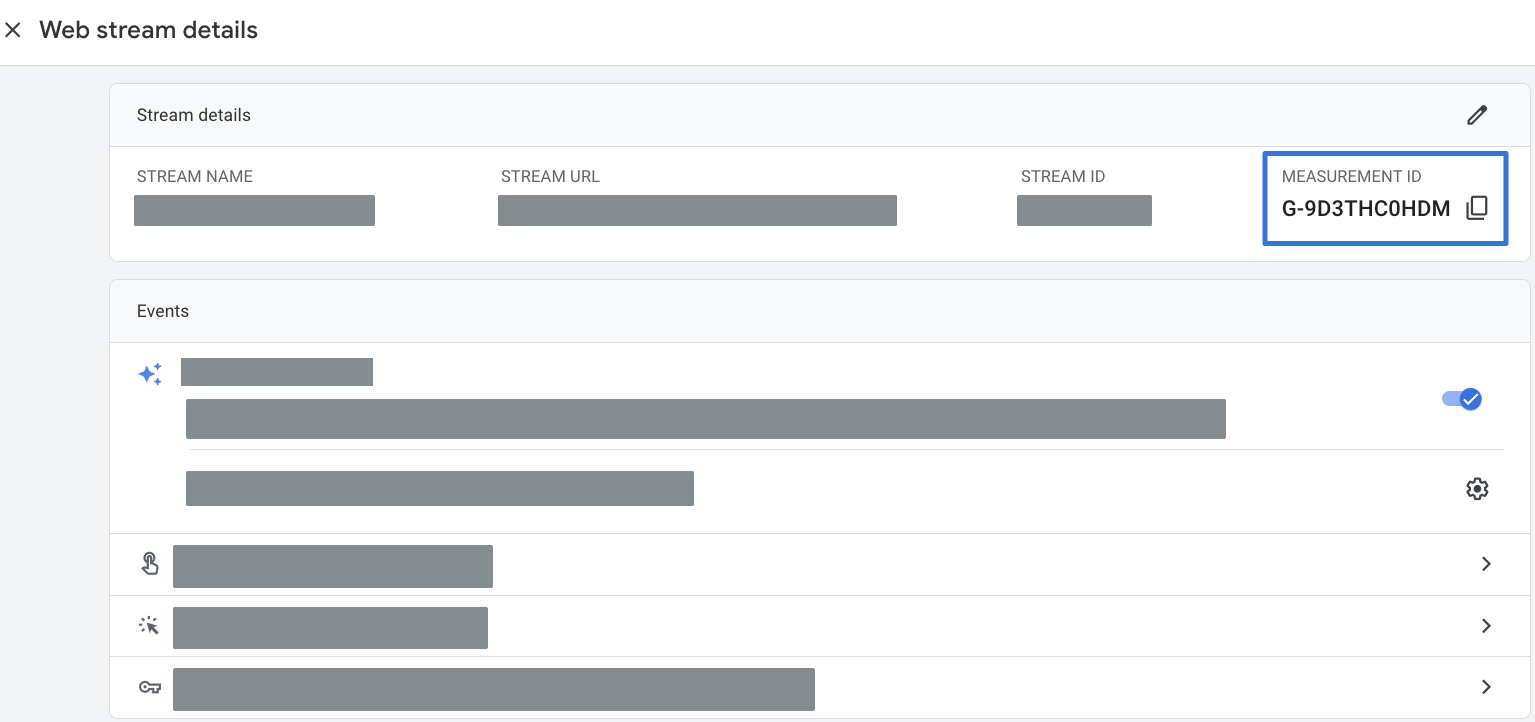
Source: official Google illustration, unchanged. The blue frame identifies the measurement ID, distinct from the stream ID. Do not copy the example ID. Read the Google help article.