How to create a Facebook Page?
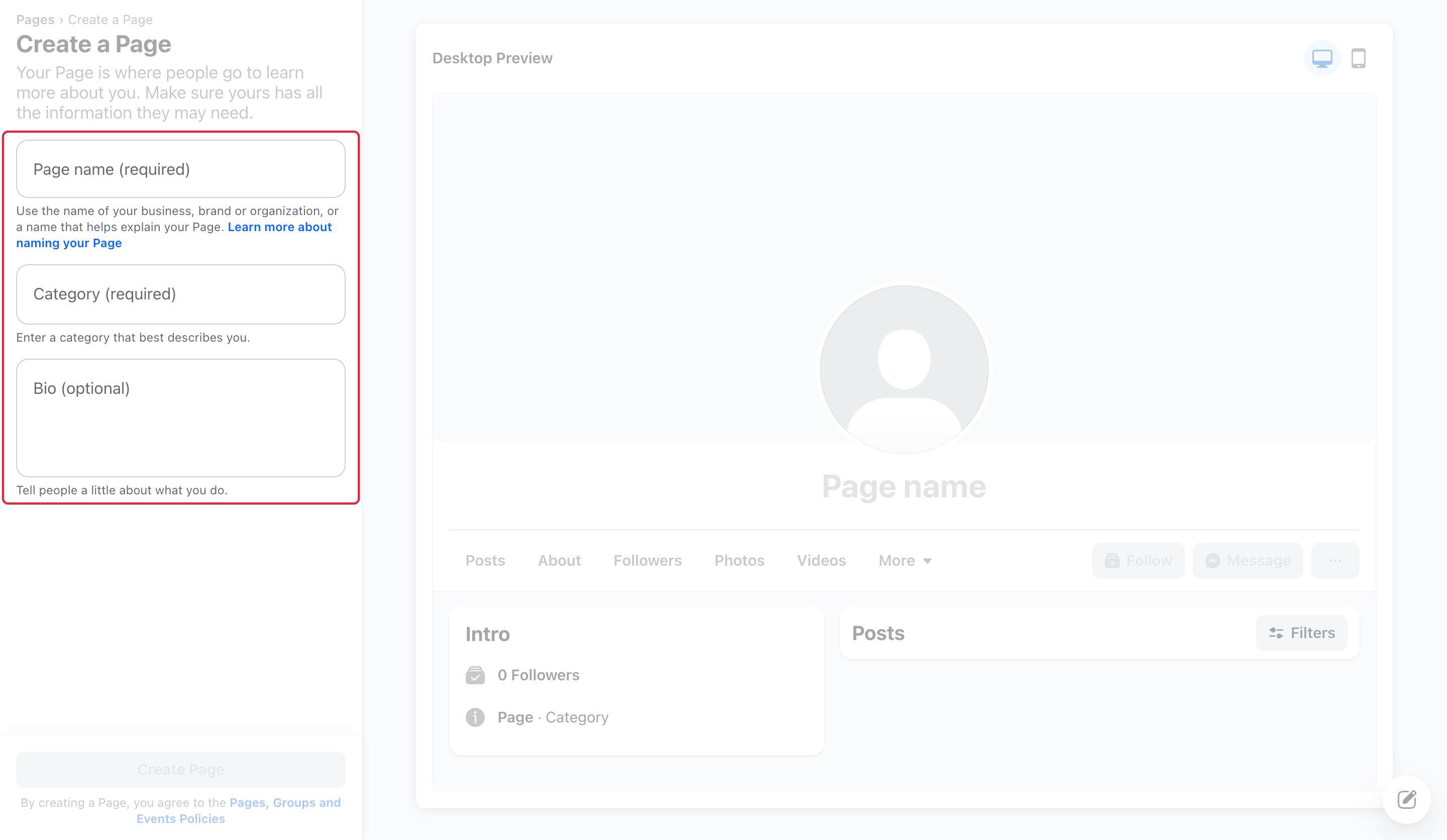
To create your business Page, start with the official Page creation form, log in to Facebook and complete the fields offered to describe your business. Meta’s guide to business Pages also points to customization and access management.
The Page name and category are required; the bio is optional.
After creation, check the Page’s public information and who can manage it. Meta now distinguishes Facebook access from task access: they provide different capabilities. In particular, task access alone does not let you switch into the Page on Facebook. See Page access levels to understand these permissions.
Creating a Page does not automatically create a Shop or approve Instagram Shopping. See Shop setup and connecting Instagram for these uses. Field order and the administration layout can vary by account.
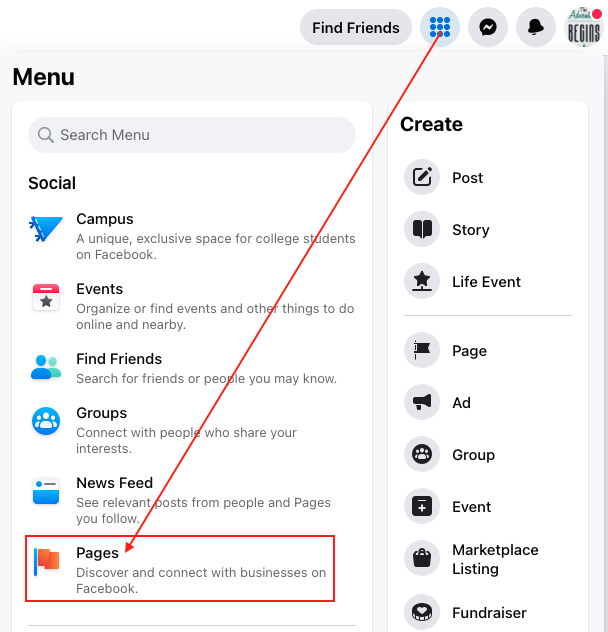
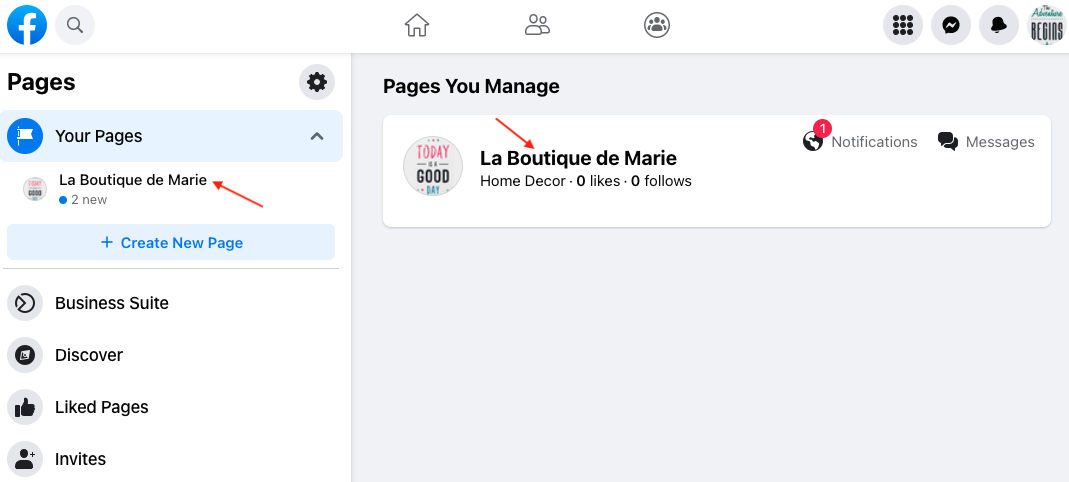
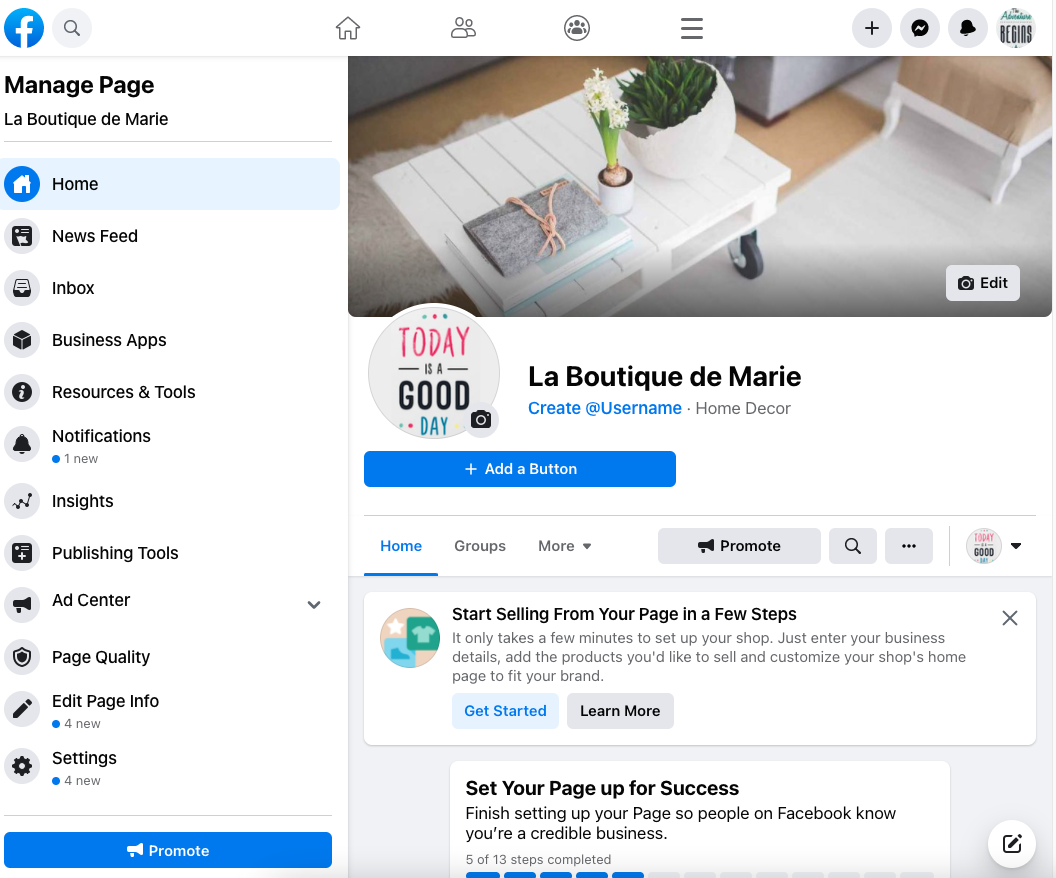
Illustrations
The illustrations provide examples. Menus, permissions and available choices can vary by account; follow the procedure and official links above.
Other FAQs in this category
- How to import my products into a Facebook catalog?
- How to create a Facebook product catalog?
- Facebook Starter Guide
- How to create a Business Manager account?
- How to create a Facebook and Instagram Shop?
- How to import my products into the "Shop" section of my Facebook Page?
- What are the consequences of the release of iOS14 on the module's Facebook Pixel?
- How to customize my Facebook Shop?