What is the Events API (Conversions API) and how to enable it in the module?
Events API lets your shop server send events to TikTok. It supplements the Pixel’s browser channel, but its behavior depends on the integration.
In this module, API sending is triggered by a JavaScript request from the shop. Enabling it does not guarantee that every event will be sent if the browser, a script, blocking or connectivity prevents that trigger. It should not be presented as a way to bypass a refusal of tracking.
Some customer identifiers are hashed and the TikTok request uses HTTPS; this does not mean that every event field is individually encrypted or anonymous. Review shared information, consent choices and the information provided to visitors.
Configure the API in the module
- Create the Web source and configure its Pixel ID in the module. The module uses this source and its script even though TikTok also offers other standalone API integrations. For catalog ads, connect the source to the relevant catalogs.
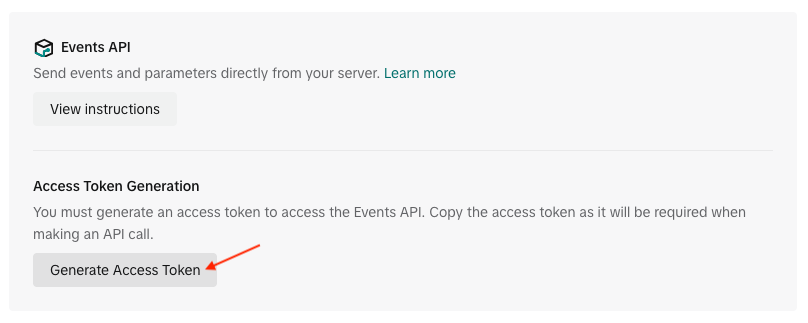
- In TikTok Events Manager, open this source’s settings and Events API instructions to generate an access token with appropriate permissions.
- Keep the token in a safe place. Do not publish it or include it in a screenshot or support request.
- In TikTok Pixel > Pixel code, turn on Enable the Events API?, paste the token in API Token and save. Your server needs cURL; contact your hosting provider if it is unavailable.
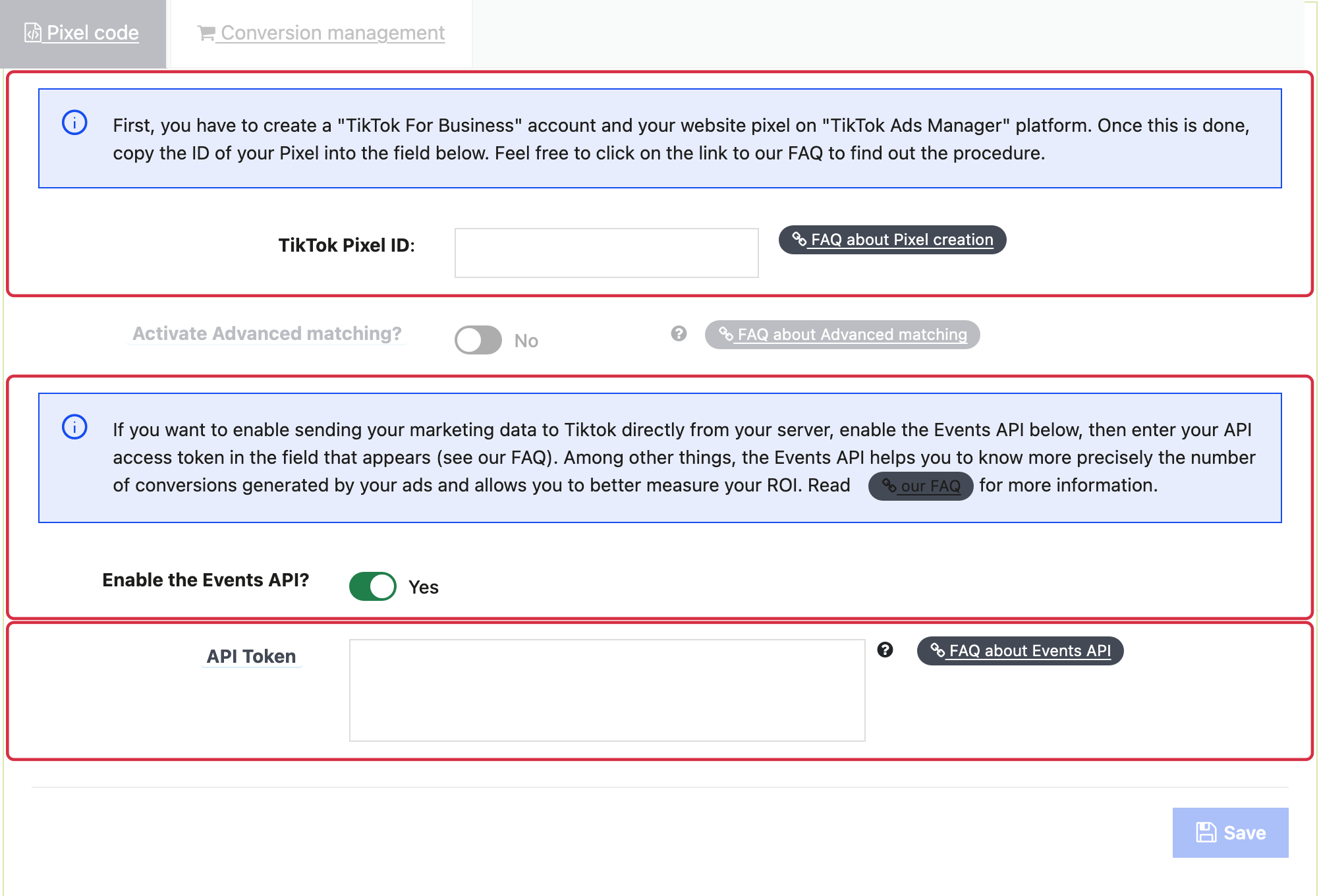
The token field appears after enabling the Events API; no token is shown in this example.
Verify reception
Also check Pixel loading and local requests before any consent choice, after refusal and after acceptance. The presence of a cookie banner does not by itself prove that this integration blocks the relevant calls. A success message from a local AJAX request does not replace the reception shown in TikTok.
Complete a test journey and order, then check the events in TikTok. Verify the server channel, event name, products, amount, currency and possible duplicates with the Pixel. A request sent by the shop alone does not prove that TikTok accepted it.
If events are missing or errors occur, tell support your module version and test scenario without disclosing your token. Do not assume that the module automatically sends every event available on TikTok.
See the official Events API instructions for platform behavior.
Visual references from the previous interface: labels and layout may vary. Follow the written steps above.