How to automatically update my feeds (on-the-fly output or CRON task)?
Feed generation by the module and retrieval by Meta are separate operations. “On the fly” generates data when requested; it does not push each change instantly into the Meta catalog.
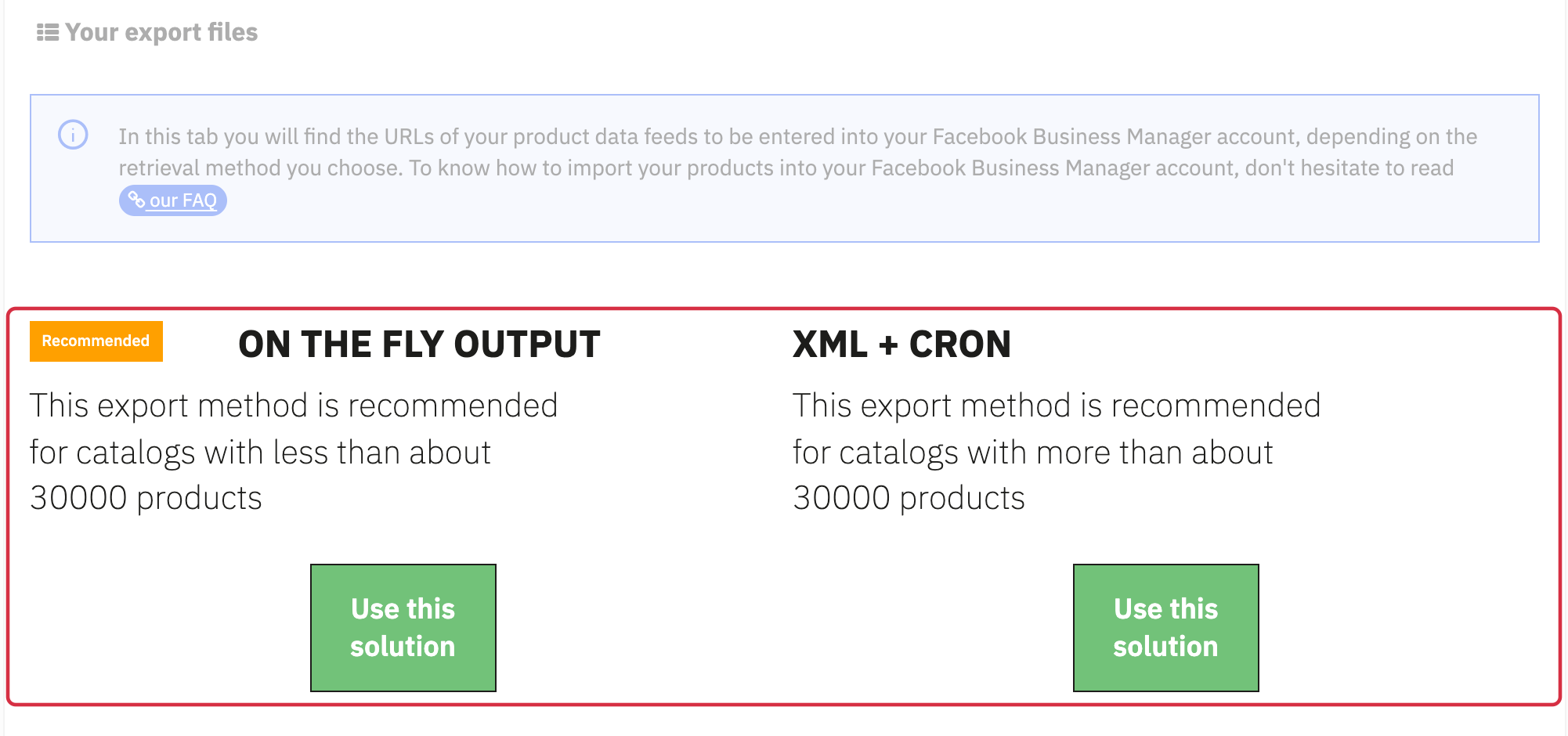
Choose a method in My feeds
The module displays an indicative recommendation around 30,000 products: on-the-fly output below, XML + CRON above. This is neither a contractual limit nor a response-time guarantee; the server, combinations and calculations also matter.
- On the fly output: copy the feed URL for the required language, country and currency. Opening it must return XML. If generation exceeds retrieval time limits, use a prepared file.
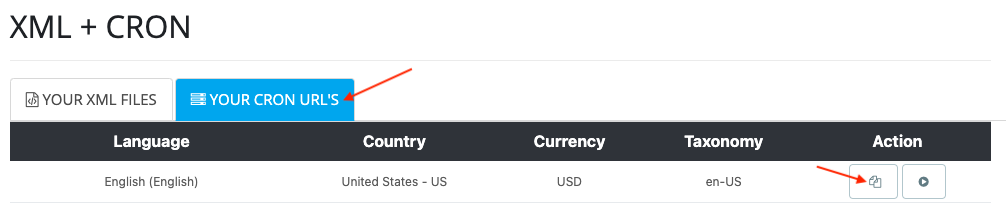
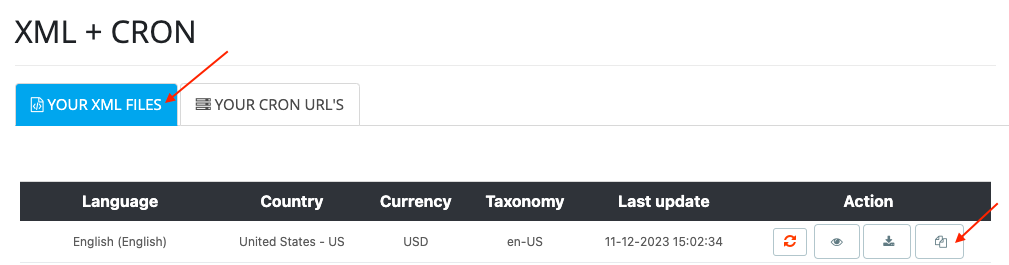
- XML + CRON: configure a CRON task with the URL from Your CRON URLs. It prepares the file. In Meta, use the URL from Your XML files to retrieve the result.
Do not paste the CRON URL as the data source URL in Meta. Protect these URLs because they include a feed access token.
Schedule updates
- Generate the feed and inspect its diagnostic.
- For XML + CRON, schedule generation before Meta's retrieval time; stagger tasks for different feeds to limit concurrent load.
- Configure Meta retrieval using the import procedure.
- After a test change, check the local generation date and the result of Meta's latest retrieval.
For technical CRON setup, see the CRON FAQ. For TikTok products associated with this FAQ, keep the same generation/retrieval distinction and follow the TikTok import procedure.
The illustrations below show examples and navigation landmarks. Names, dates and layouts may differ in your installation; follow the checks described in the text.
Other FAQs in this category
- Where to find my Business ID?
- How to configure the module ?
- How to create and install my Facebook Pixel?
- How to fill my shop's URL?
- What is the Conversions API and how to enable it in the module?
- Do I have to ask the module to include the attribute IDs into combination URLs?
- How to choose the construction mode of product IDs in the feed?
- How to create custom labels to segment my catalog?
- How to match my products with Facebook categories?
- How to create advanced exclusion rules?
- Do I need to rewrite numeric values into the combination URLs?
- My shop uses multi-currency : how to make Facebook detect the correct currency?
- Do I have to include the LANG ID in the product ID?
- What is the ViewCategory event, and how can I disable it?
- How to test my Pixel code?
- Should I include anchors in my product URLs?
- What is the Facebook "Advanced Matching" feature?
- How can I use Facebook country feeds for several languages, countries and currencies?
- How to tag products reserved for adults?