Do I have to indicate the gender for which my products are made?
gender identifies the intended audience using XML values male, female or unisex. Interface labels may be translated; Google values remain in English.
Requirements vary by program, category and country, particularly for apparel. Use the product's actual intended audience rather than inferring it solely from color or an arbitrary rule. This attribute does not guarantee ranking or filter placement.
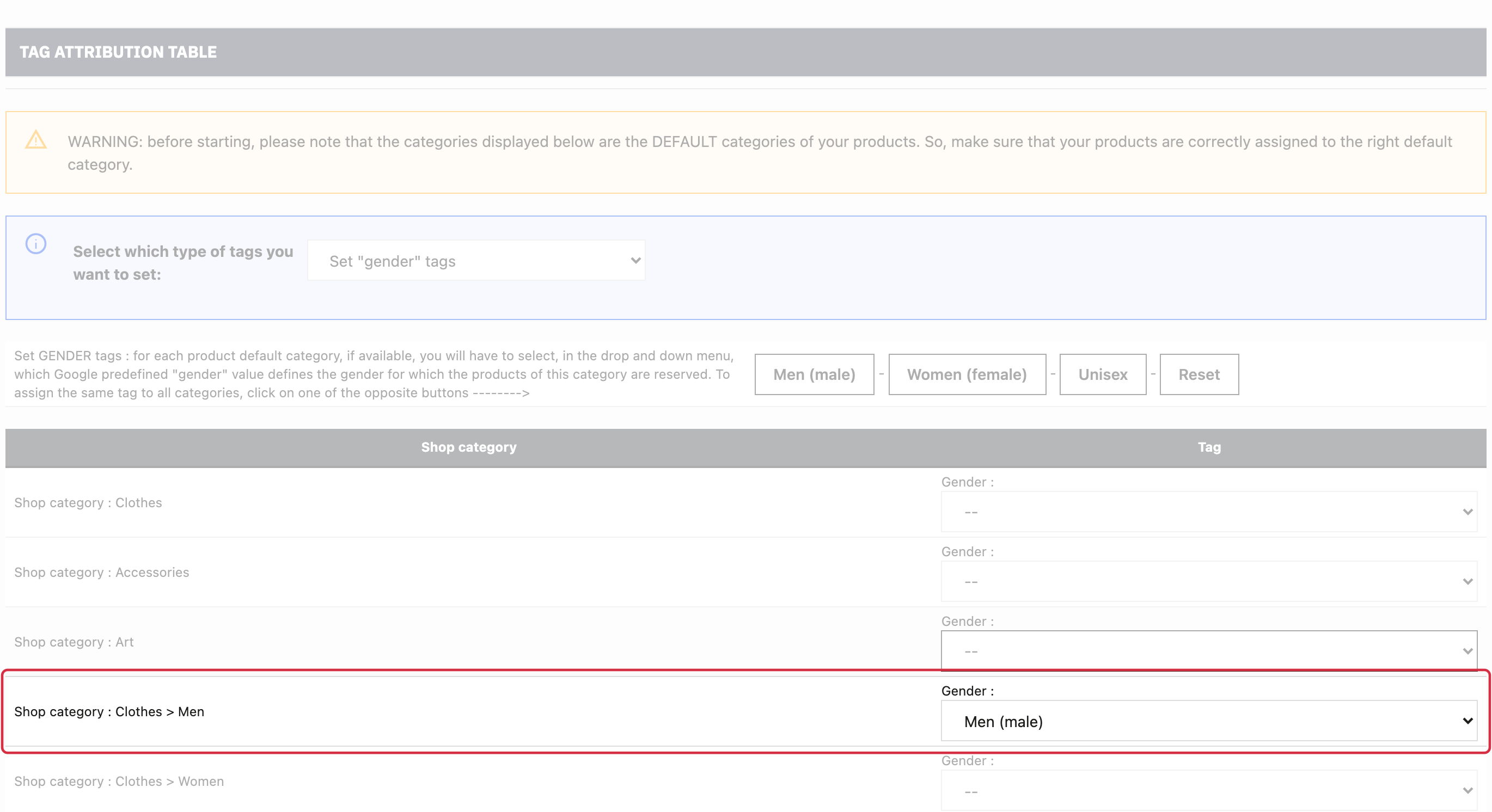
Under Apparel feed options, enable gender tags, open mapping and assign an appropriate value to the relevant categories. Save and inspect XML gender.
The standard edition uses the product's default category.
If it contains products for different audiences, review catalogue organization before applying a shared value.
For detailed requirements: Official Google documentation.
Other FAQs in this category
- How to indicate the dimensions of my packages?
- Do I need to indicate the size system used for my products?
- How to send quality images to Google Shopping?
- How to indicate a package weight unit that complies with Google's requirements?
- Do I need to indicate the size type of my products?
- Is it necessary to indicate an age group for using my products?
- Do I have to provide information about my product patterns?
- Do I have to provide information about my product material?
- Do I have to provide product colors in the feed?
- Do I have to include product sizes in the feed?
- What are Google's requirements for product description?
- What are the guidelines for quality product titles?