How to check if my discounted (specific) prices are correctly exported?
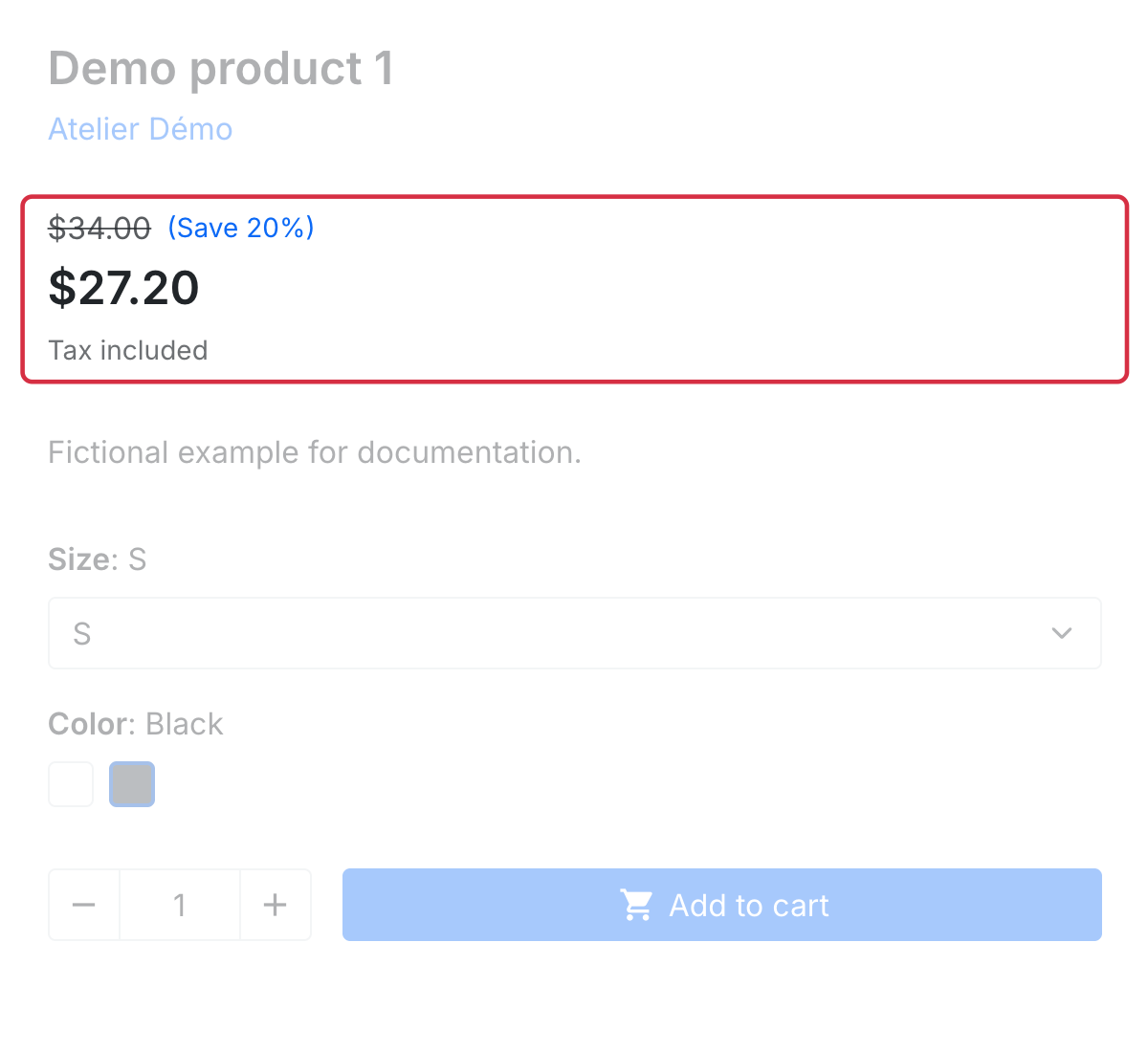
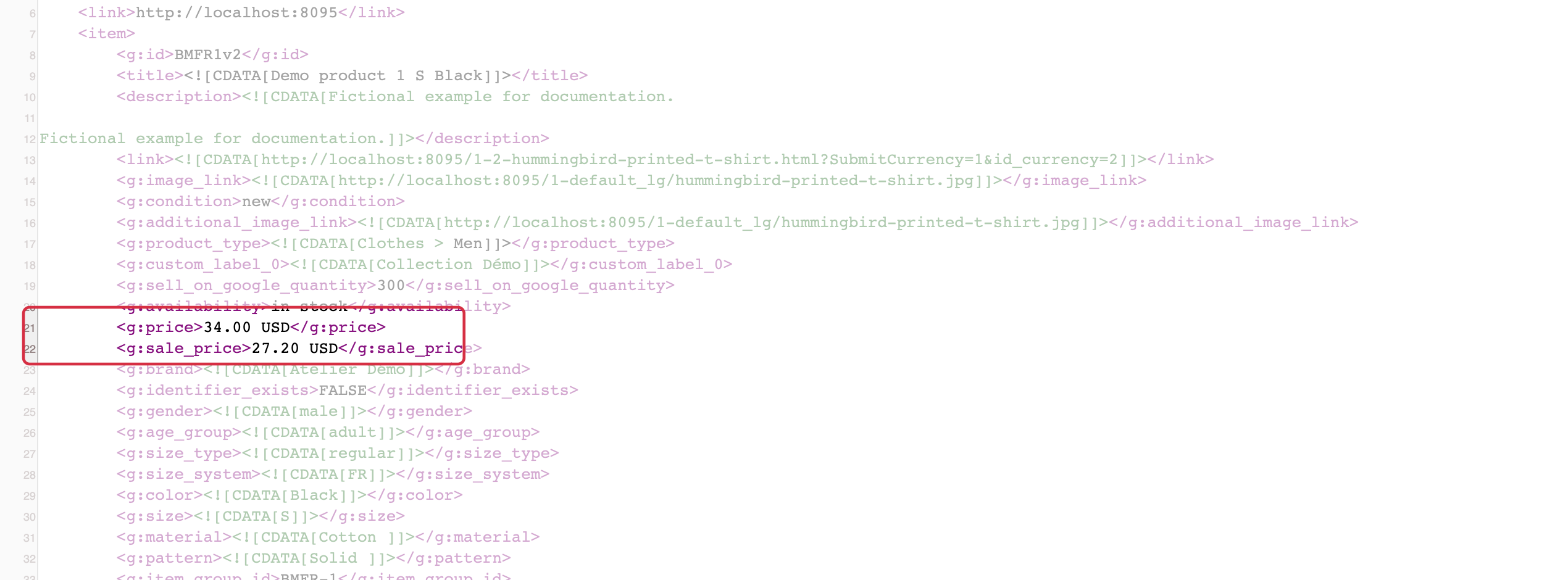
Open the correct feed's XML and locate the exact product or combination ID. When a public reduction applies, the module can output:
price: regular price;sale_price: reduced price;sale_price_effective_date: validity period, when both endpoints are populated.
Compare these values with the product page and cart without a customer account, using the same country and currency. Customer-, group- or quantity-specific prices do not necessarily match the offer accessible to Google's visitor. Check that the submitted price is available to the intended buyers without hidden restrictions.
A period configured in PrestaShop does not prove both dates are present in the feed: check the exported attribute. Without a complete period, plan generation and fetching of an updated feed when the promotion ends. Sale annotations remain subject to Google's criteria; submitting sale_price does not guarantee their display.
See checking submitted prices and changes not visible on Google.
For detailed requirements: Official Google documentation.
Other FAQs in this category
- How to import my feeds in Google Shopping ?
- How to check which prices are sent to Google?
- Why are my product feeds generating errors ?
- How does the diagnostic tool work ?
- Why were the XML files not created ?
- How to create a Language/Country/Currency feed different from those proposed by default by the module?
- Why have some of my products not been exported in the feed ?
- How can I check that my data is updated?
- Why do I get an error on update xml file ?