How to check which prices are sent to Google?
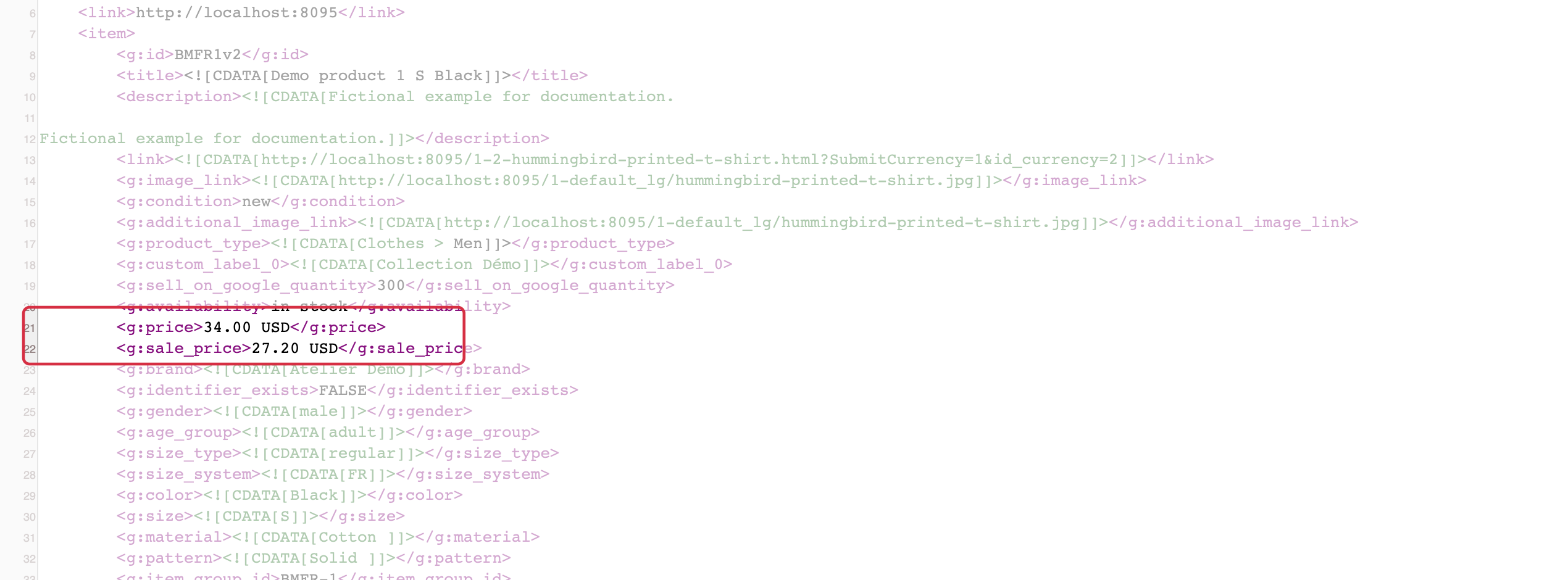
Under My feeds, open the XML for the relevant language, country and currency. Locate the exact item ID: a combination can have its own price.
pricecontains the regular price.sale_price, when present, contains the reduced price.sale_price_effective_datecan define the sale period.
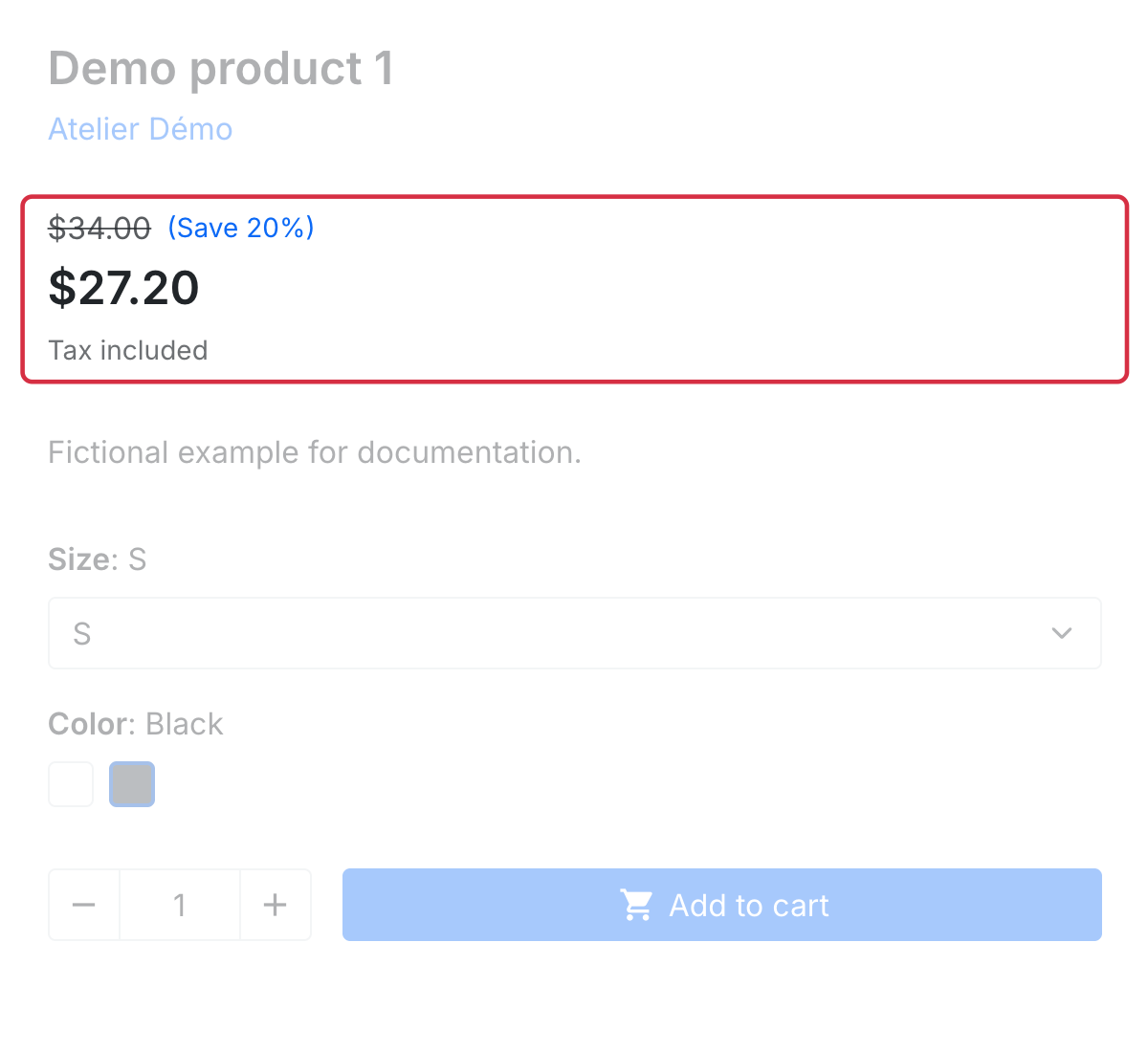
Under Taxes and shipping fees, check the tax-inclusion choice for that feed. Compare values with the page opened using the XML link, without a customer session, and with the cart for the target destination. Check currency, exchange rate, variant and available reductions.
If XML already contains a different price, check module settings and PrestaShop data, then contact support with an example if needed. If XML is correct but Google displays another value, check the latest fetch, structured data and automations. The submitted price must remain consistent with the offer available at its URL.
See sale prices and the full mismatch investigation.
For detailed requirements: Official Google documentation (1), Official Google documentation (2).
Other FAQs in this category
- How to import my feeds in Google Shopping ?
- Why are my product feeds generating errors ?
- How does the diagnostic tool work ?
- Why were the XML files not created ?
- How to create a Language/Country/Currency feed different from those proposed by default by the module?
- How to check if my discounted (specific) prices are correctly exported?
- Why have some of my products not been exported in the feed ?
- How can I check that my data is updated?
- Why do I get an error on update xml file ?