Why have some of my products not been exported in the feed ?
Start by opening the correct language / country / currency feed. The number of products selected before generation is not necessarily the final number of XML items: exclusions, missing data and combination export change the result.
1. Check the selection
Under Feed management → Export method, check the selected categories or brands, then save. In the standard edition of the module, category selection uses product associations: a product associated with category B can be selected through B even when its default category is A. The default category is instead used for mappings configured by category, such as material, pattern or Google category; color and size use their own global sources.
2. Check exclusions
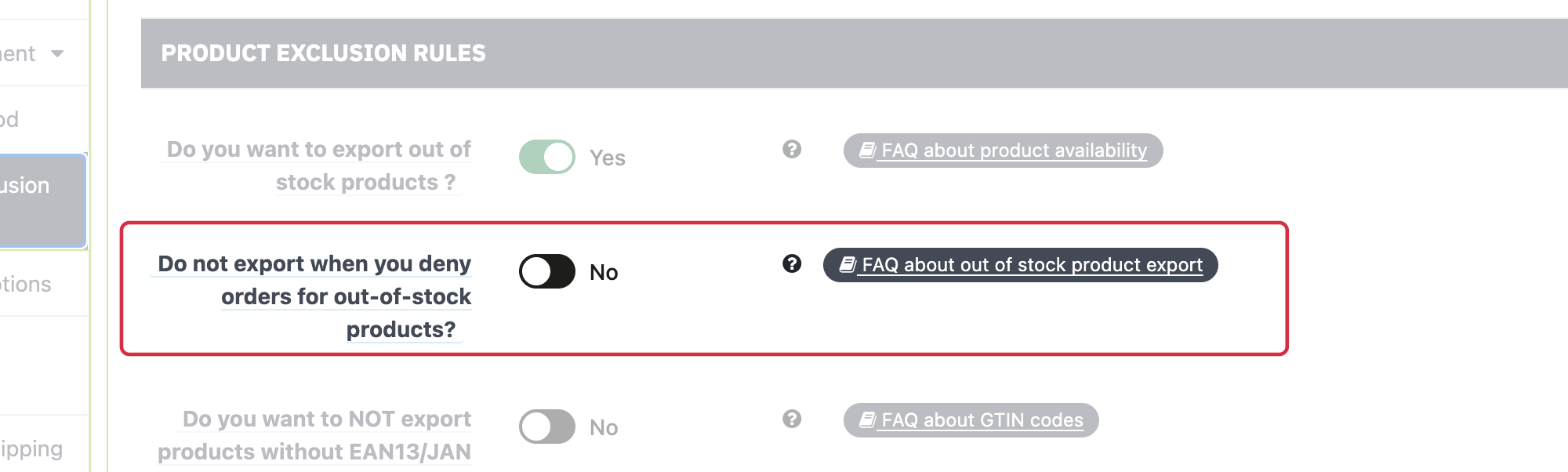
Under Product exclusion rules, check stock rules, missing identifiers, minimum price and manual exclusions. Also check that the product is active and available for order. Before removing an identifier exclusion, check Google's requirements for the product. See the special case of orderable out-of-stock products.
3. Generate and compare
Generate the feed again, check the diagnostic report, then search for the exact product or combination ID in the XML actually served. If it contains no items, collect the message, HTTP status and logs before concluding that permissions are responsible.
Save your changes before generating the feed again.
Other FAQs in this category
- How to import my feeds in Google Shopping ?
- How to check which prices are sent to Google?
- Why are my product feeds generating errors ?
- How does the diagnostic tool work ?
- Why were the XML files not created ?
- How to create a Language/Country/Currency feed different from those proposed by default by the module?
- How to check if my discounted (specific) prices are correctly exported?
- How can I check that my data is updated?
- Why do I get an error on update xml file ?