How not to promote products in certain countries while using the same feed?
shopping_ads_excluded_country excludes an item from Shopping ads in selected countries while retaining the same feed. It is not a general exclusion from free listings or all Google surfaces.
Under Feed data options, enable excluded countries, save when requested and open mapping. Select the countries for each category and save. XML should contain two-letter ISO country codes, such as US or DE, in shopping_ads_excluded_country tags.
The standard edition applies mapping according to the product's default category. Check a representative item in XML, then countries and destinations in Merchant Center. To exclude other destinations, see excluded_destination.
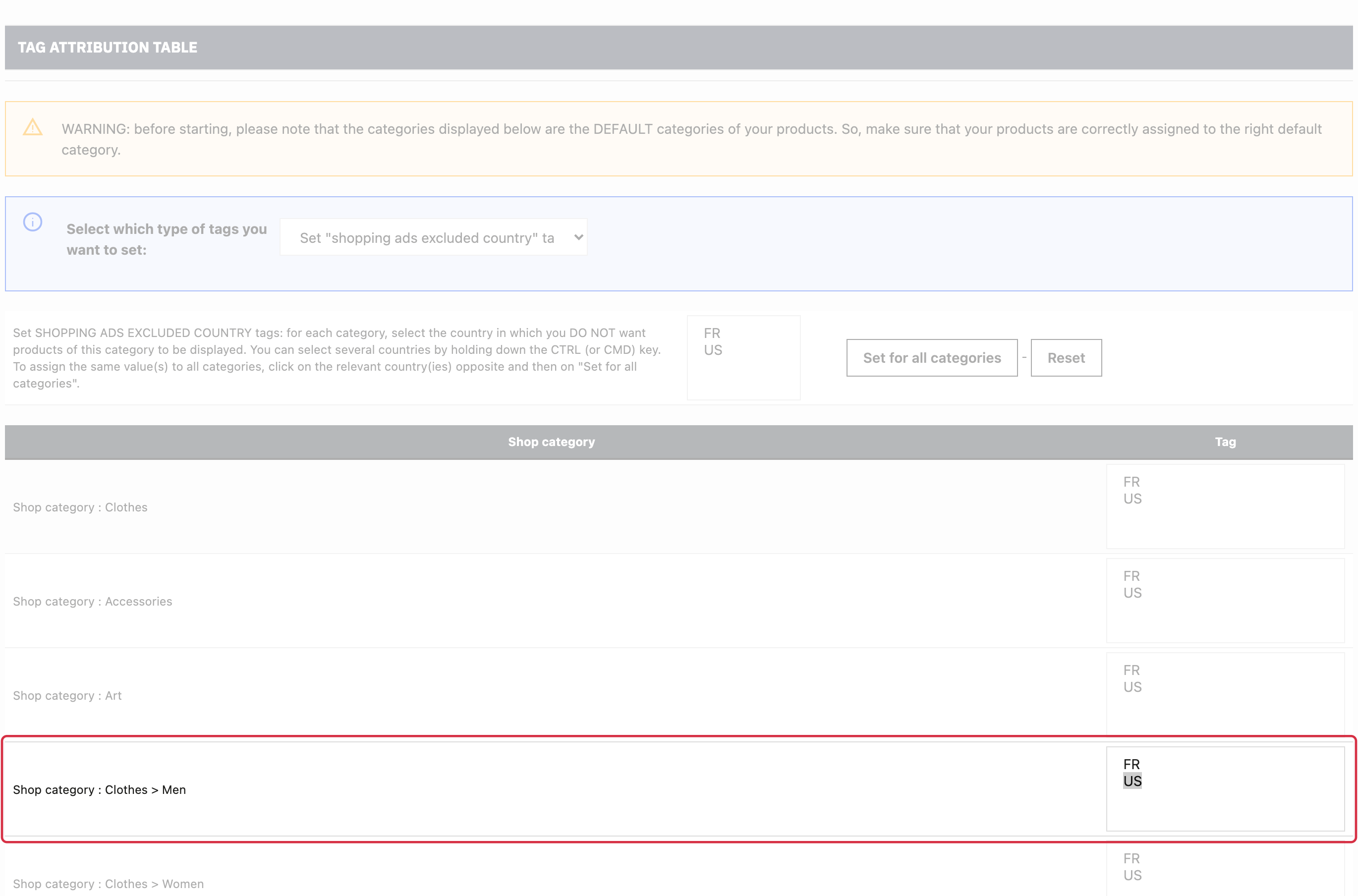
For detailed requirements: Official Google documentation.
Other FAQs in this category
- What is the simple ID?
- How to only export products that are available for selling?
- How to fill my shop's URL?
- Do I need to rewrite numeric values into the combination URLs?
- What is the Google "product type" attribute?
- Do I have to ask the module to include the attribute IDs into combination URLs?
- How to create custom labels ?
- How to match my products with Google categories?
- How to tag products reserved for adults?
- How to indicate the availability of my products on Google Shopping?
- What is the product condition?
- How is the ID of an item built in the Merchant Center feed ?
- What does the addition of the utm_content parameter in my product links allow?
- How to automatically update my feeds (on-the-fly output or CRON task)?
- How to exclude products from certain advertising channels?
- My shop uses several currencies: how to make Google detect the correct currency?
- How to quickly configure my module ?