Is it necessary to indicate an age group for using my products?
Facebook "age group" tags correspond to the age for which your products are intended.They are mostly useful for apparel and it's why their configuration in the module is available in "Apparel feed options" tab of "Feed management" section. However they can also be applied to other product types that are specifically made for kids for example. Anyway, if your products have this information, do not hesitate to include it in your feed. Indeed, the more data your feed will contain, the more possibilities you will have to segment and manage your catalog.
To configure the "age group" tag for each of your categories, follow the procedure below.
Select "Yes" for the "Do you want to include age group tags?" option, save the tab and click on the green button to configure the tag for each product category:
From version 1.5.0 of the module, you have the possibility to choose the mode of attribution of the tags (for the lower versions, only the first option is possible):
You can:
- either assign the same tag value to all products in a category
- or use the values of a feature for each category
1/ Assign the same tag value to all products in a category
In this case, you just have to select, for each category(*), the age group for which the products of the category are intended. All products in a given category will have the same tag value.
Each category is independant and can therefore be associated with a different age group. You also have the possibility to assign the same age group for all categories with a single click using the buttons at the top of the table.
Several values predefined by Facebook are possible:
- Adults / adult
- All ages
- Teens / teen
- Kids / kids
- Toddlers / toddler
- Infants / infant
- Newborns / newborn
(*)Warning: please note that the categories we are talking about are the DEFAULT categories.
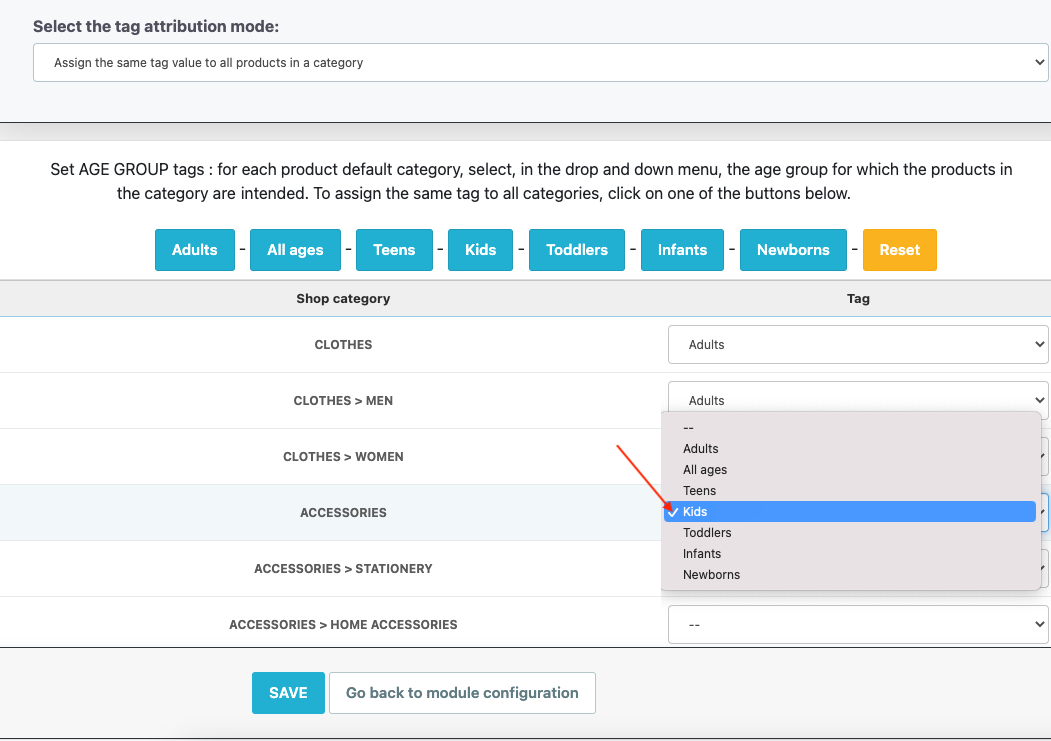
Once you have assigned tags for all categories to be exported, click "Save".
2/ Use the values of a feature for each category
Use the technical feature values offered by the module in every language. Check the age ranges and accepted values in your Meta destination’s specifications; the interface choices do not establish platform approval.
- Open this official documentation
- Find the "age_group" field
- In the "description" column you will find the English values officially expected by Facebook
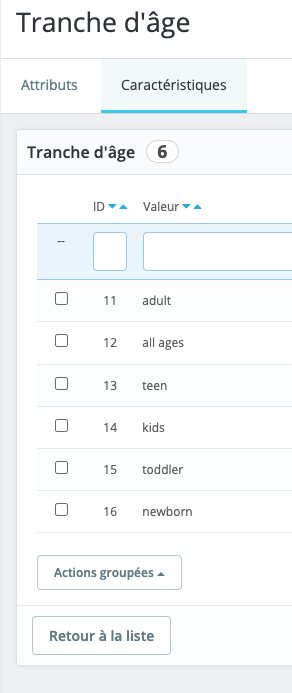
Fill out the values of your feature(s) with these English values, for all the languages of your catalog. For example, here in french:
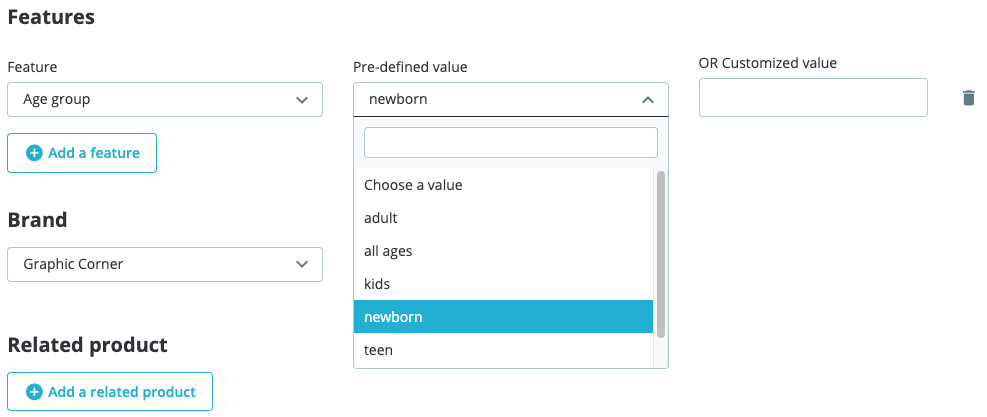
For each product to be exported to Facebook for which you want to indicate the age group, assign the right feature value through its back-office form:
Then, go back to the tag's value assignment table, select the option "Use the values of a feature for each category" and then, for each category, select from the drop-down menu the feature that determines the age group for which each product in the category is intended. To assign the same feature to all categories, click "Set for all categories":
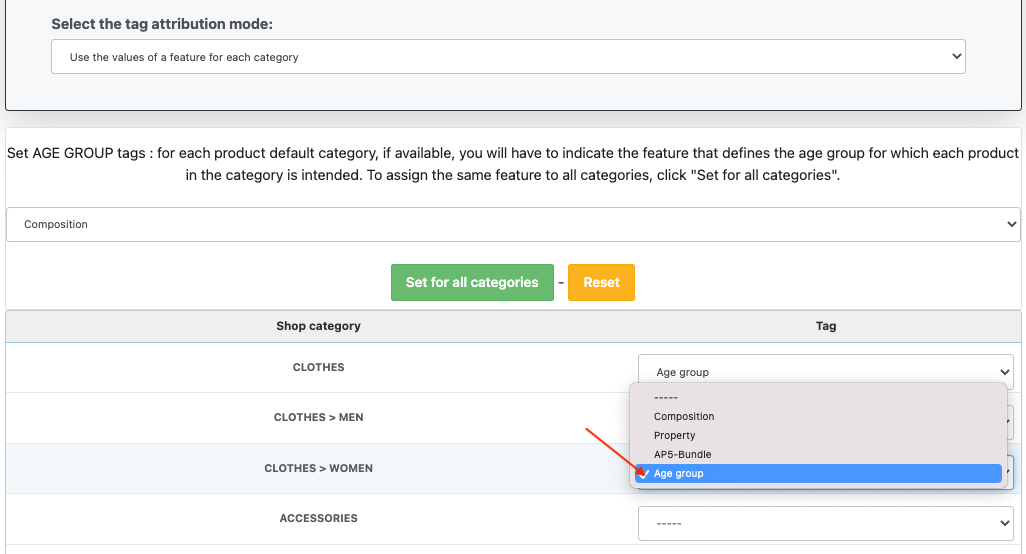
Once you have assigned the correct feature to each category, save.
Other FAQs in this category
- How to send quality images to Facebook?
- What is the product GTIN code for?
- How to indicate the availability of my products on Facebook?
- What is the product condition?
- What are Facebook's product data guidelines?
- What are Facebook's requirements for shipping weights?
- What are the guidelines for product titles?
- What are the price guidelines to follow?
- Do I have to provide the brand of my products in my feed?
- Do I have to provide product colors in the feed?
- Do I have to include product sizes in the feed?
- What are the Facebook's requirements for product description?
- Do I have to indicate the gender for which my products are made?
- Do I have to provide information about my product patterns?
- Do I have to provide information about my product material?
- What is the product supplier reference (MPN code) for?
- What is the purpose of assigning a "shop" prefix to product IDs?
- What is the "product type" attribute?