What are the additional features for product title of the PRO version?
From Google Merchant Center PRO 1.7.0, you can select the title source and add text before or after the product name.
Select the title source
Under Basic settings → Product title, choose the product name or meta title. When using meta titles, complete them for every product in every exported language.
Add a prefix or suffix
The advanced options are displayed when the product-name source is selected. Under Advanced product title, choose the required combination: category, brand or free text around the name. For free text, fill in the prefix and suffix for every required language, then save.
The illustration uses the fictional values “Demo” and “Sample”. Enter useful, accurate information about your products and avoid promotional wording or repetition.
After updating the feed, inspect the XML titles of several products and combinations, including their language and length. Do not assume every title mode is automatically truncated to 150 characters. See also the product title guidelines.
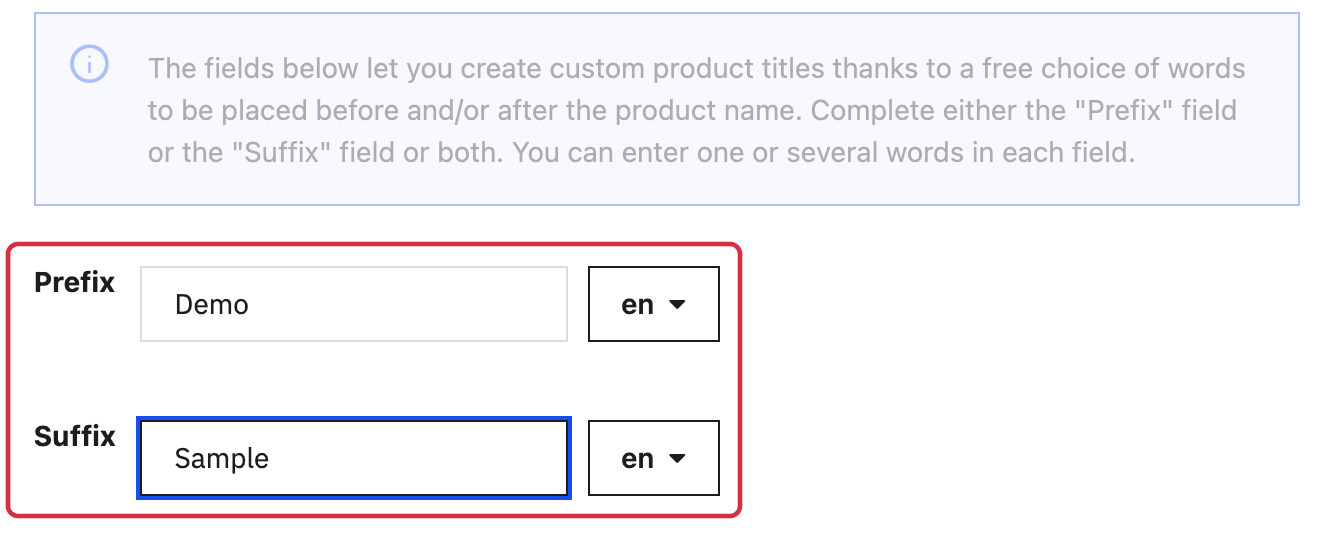
Free-text fields and language selectors, using fictional values to adapt to your products.
Other FAQs in this category
- Where can I find my store code?
- How to add a local inventory feed in Google Merchant Center?
- How to display my product price per measure unit?
- How to configure my local product inventory feed?
- How to configure my special offer (promotion) feed ?
- Google Customer Reviews: How to configure the feature?
- How to create advanced custom labels ?
- What is the difference between the classical module and its Pro version?
- Google Customer Reviews: Why does my badge say "No Reviews Available" when I've already collected reviews?
- Google Customer Reviews: What are the conditions for Google to request product ratings in addition to seller ratings?
- Google Customer Reviews: Where to find my Google Merchant Center account ID?
- Google Customer Reviews: Is the program available in my country?
- Google Customer Reviews: What is the Google Customer Reviews program?
- Can I temporarily stop certain products from showing in shopping ads?
- How to apply specific shipping labels?
- How to display the energy efficiency class or other energy certification of my products?
- How to create advanced exclusion rules?
- What is the point of exporting the cost price of products?
- What are local inventory ads for?
- How to configure my product ratings feed ?
- How to switch from a classic GMC feed to a Pro one ?
- How do I export product features as product details?
- How do I export tags dedicated to Google AI Mode?
- Can I request the module to adapt the tax rate based on geolocation?
- How to indicate that my product is available for pre-order or that it will soon be back in stock?