How to configure my special offer (promotion) feed ?
The promotions feed submits your commercial offers separately from product data. Google reviews eligibility and decides whether to display them; sending a file does not guarantee a “special offer” annotation.
Check eligibility
Your country, products and offers must meet the Promotions program requirements. In Merchant Center, open Settings → Add-ons and enable Promotions if it is available to your account.
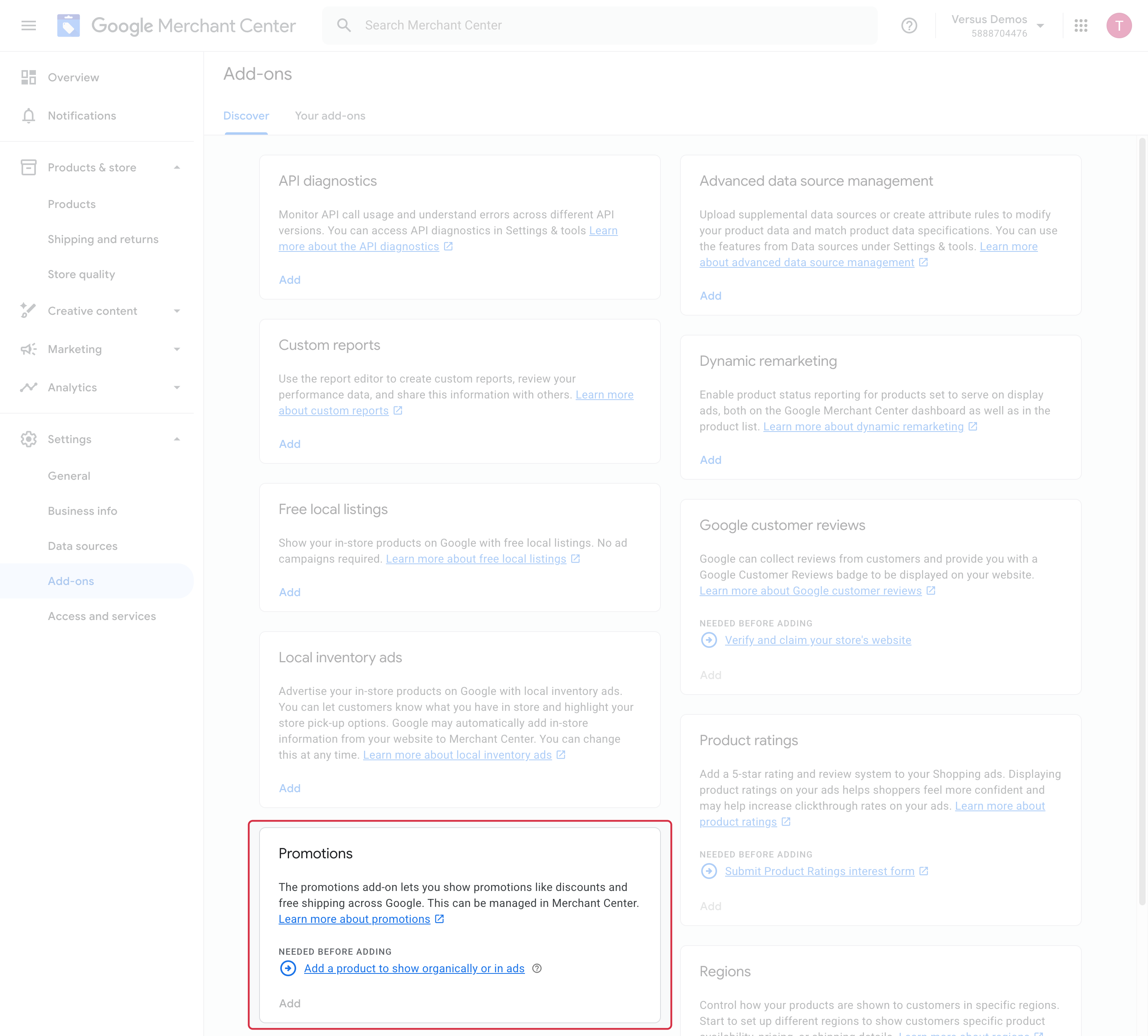
ATTENTION: the module’s filters do not replace Google’s policies. You must check participation requirements, wording, dates and restrictions for every promotion before submitting it.
Choose cart rules to export
- Open Special offers / inventory / product ratings feeds → Special offers feed configuration and review the cart rules to export.
- The module selects active rules that pass its filters, including rules without customer, customer-group or country restrictions. Check a missing rule in PrestaShop.
- If needed, combine filters for name, dates, minimum purchase, discount amount/type and compatibility with other rules. Click Search, then open each result’s details to verify the offer.
- Select the required destinations in the Channel column and save. Hold Ctrl on Windows or Cmd on macOS to select or deselect multiple choices.
Add the source in Merchant Center
- Under My feeds → Special offers feed, copy the URL for the target language and country. An on-the-fly URL must remain accessible to Google; a physical file must be generated and kept current using your chosen method.
- In Merchant Center, open Settings → Data sources → Promotion sources and add promotions from a file.
- Choose a file link, paste the URL, set its retrieval schedule and time zone, then provide the target language and country.
- After processing, review promotions and diagnostics. Resolve errors or disapprovals before expecting them to appear.
Update the file before Google retrieves it. Check start and end dates, promotion codes and the actual offer in the shopping cart.
Other FAQs in this category
- Where can I find my store code?
- How to add a local inventory feed in Google Merchant Center?
- How to display my product price per measure unit?
- What are the additional features for product title of the PRO version?
- How to configure my local product inventory feed?
- Google Customer Reviews: How to configure the feature?
- How to create advanced custom labels ?
- What is the difference between the classical module and its Pro version?
- Google Customer Reviews: Why does my badge say "No Reviews Available" when I've already collected reviews?
- Google Customer Reviews: What are the conditions for Google to request product ratings in addition to seller ratings?
- Google Customer Reviews: Where to find my Google Merchant Center account ID?
- Google Customer Reviews: Is the program available in my country?
- Google Customer Reviews: What is the Google Customer Reviews program?
- Can I temporarily stop certain products from showing in shopping ads?
- How to apply specific shipping labels?
- How to display the energy efficiency class or other energy certification of my products?
- How to create advanced exclusion rules?
- What is the point of exporting the cost price of products?
- What are local inventory ads for?
- How to configure my product ratings feed ?
- How to switch from a classic GMC feed to a Pro one ?
- How do I export product features as product details?
- How do I export tags dedicated to Google AI Mode?
- Can I request the module to adapt the tax rate based on geolocation?
- How to indicate that my product is available for pre-order or that it will soon be back in stock?