How to display the energy efficiency class or other energy certification of my products?
The module can submit a product certification through three PrestaShop features: authority, name and code. Google determines label display according to product, country and submitted data.
- Create the three features and assign the actual values to each product. For an EPREL certification, use
ECas authority,EPRELas name and the actual registration number as code. - Under Product feed management → Advanced feed options, enable certification export and save.
- Open the per-category tag configuration and map each of the three features to the relevant categories.
- Regenerate the feed and inspect the
certificationgroup and values for several products.
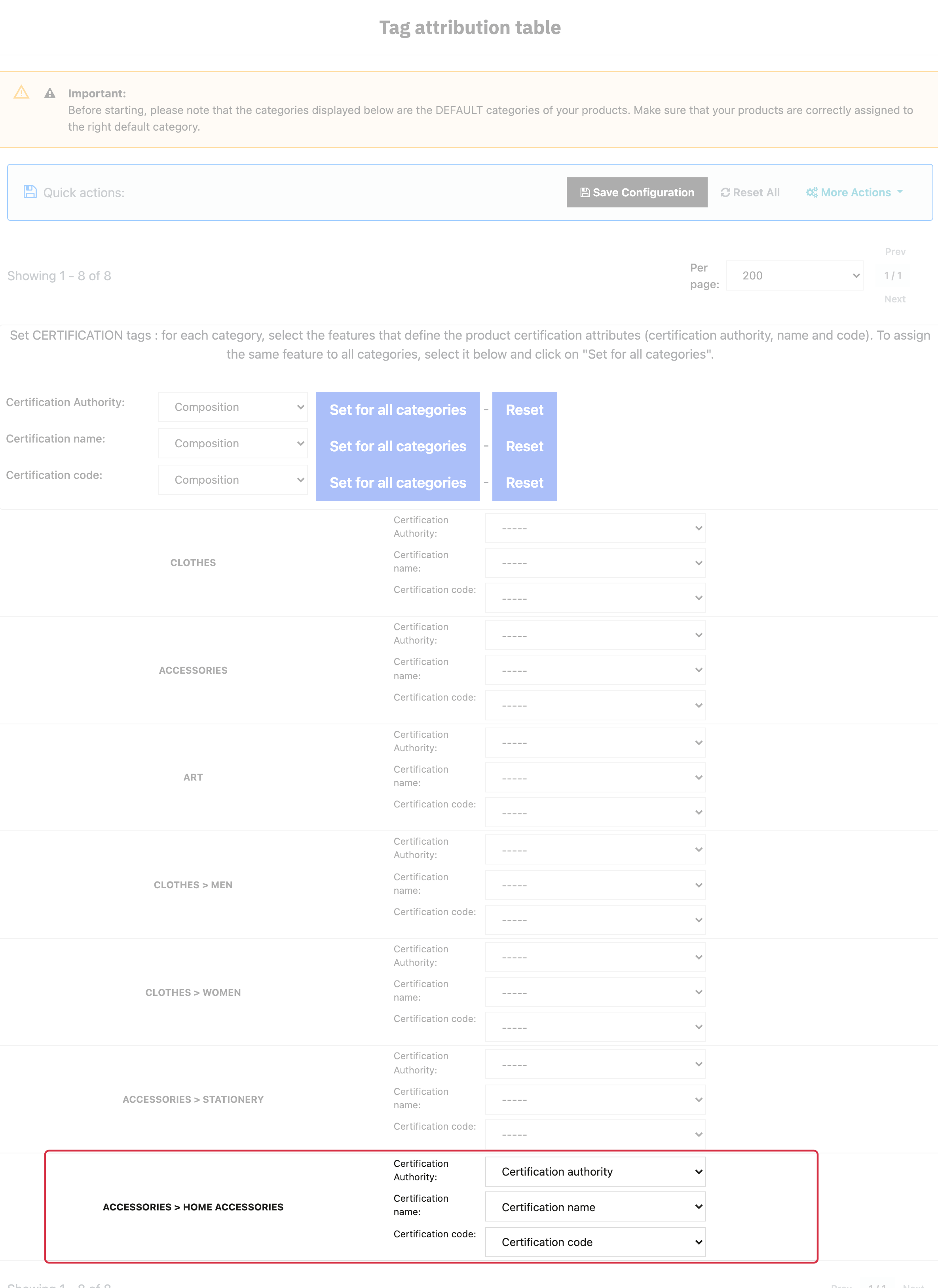
Mapping all three certification features to a default category.

Warning: these mappings use the products’ DEFAULT categories.
Use values accepted by Google’s certification specification. The module does not expose a certification_value field: certifications requiring that subattribute are not fully covered by these three fields. Do not substitute a fictional value or arbitrary class for an official code.
Other FAQs in this category
- Where can I find my store code?
- How to add a local inventory feed in Google Merchant Center?
- How to display my product price per measure unit?
- What are the additionnal features for product title of the PRO version?
- How to configure my local product inventory feed?
- How to configure my special offer (promotion) feed ?
- Google Customer Reviews: How to configure the feature?
- How to create advanced custom labels ?
- What is the difference between the classical module and its Pro version?
- Google Customer Reviews: Why does my badge say "No Reviews Available" when I've already collected reviews?
- Google Customer Reviews: What are the conditions for Google to request product ratings in addition to seller ratings?
- Google Customer Reviews: Where to find my Google Merchant Center account ID?
- Google Customer Reviews: Is the program available in my country?
- Google Customer Reviews: What is the Google Customer Reviews program?
- Can I temporarily stop certain products from showing in shopping ads?
- How to apply specific shipping labels?
- How to create advanced exclusion rules?
- What is the point of exporting the cost price of products?
- What are local inventory ads for?
- How to configure my product ratings feed ?
- How to switch from a classic GMC feed to a Pro one ?
- How do I export product features as product details?
- How do I export tags dedicated to Google AI Mode?
- Can I request the module to adapt the tax rate based on geolocation?
- How to indicate that my product is available for pre-order or that it will soon be back in stock?