How to send quality images to Facebook?
The module requires a usable main image to export a product. It writes its URL in g:image_link. Check that this public URL returns an image, without a login or error page.
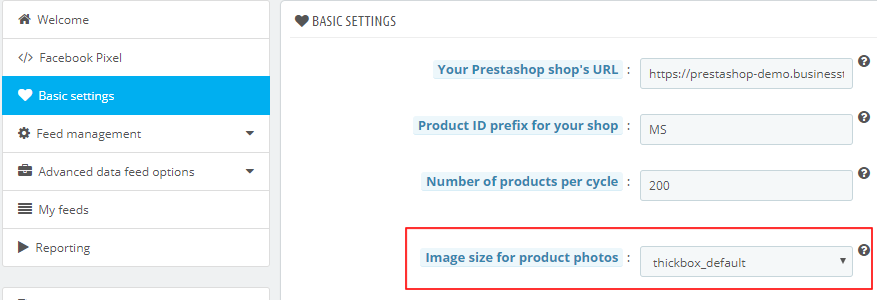
In Basic settings, choose an available image format suited to your Meta destination. Enable additional images if they show useful product views. Check their number and format against the specifications of the intended destination.
Required resolution and proportions depend on the intended use. Check the destination specifications before choosing a format.
After saving, regenerate the feed, open the image URLs and inspect clarity, proportions and correspondence with the product or variant. For link origins, see the shop URL; for data requirements, see the Meta reference.
The illustrations below show examples and navigation landmarks. Names, dates and layouts may differ in your installation; follow the checks described in the text.
Other FAQs in this category
- What is the product GTIN code for?
- How to indicate the availability of my products on Facebook?
- What is the product condition?
- What are Facebook's product data guidelines?
- What are Facebook's requirements for shipping weights?
- What are the guidelines for product titles?
- What are the price guidelines to follow?
- Do I have to provide the brand of my products in my feed?
- Do I have to provide product colors in the feed?
- Do I have to include product sizes in the feed?
- What are the Facebook's requirements for product description?
- Is it necessary to indicate an age group for using my products?
- Do I have to indicate the gender for which my products are made?
- Do I have to provide information about my product patterns?
- Do I have to provide information about my product material?
- What is the product supplier reference (MPN code) for?
- What is the purpose of assigning a "shop" prefix to product IDs?
- What is the "product type" attribute?